Voice Control
Adjust the feel without letting go of the stick
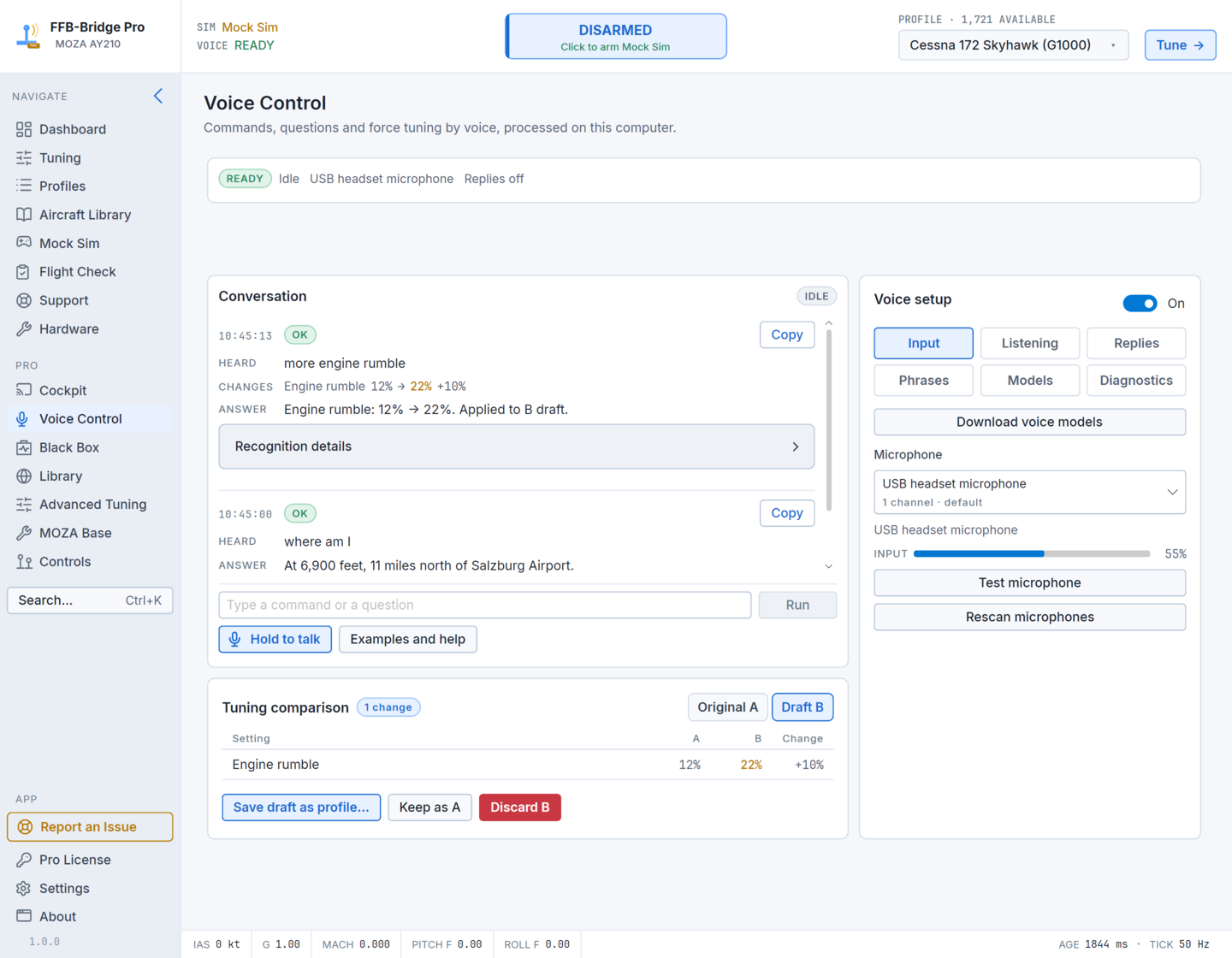
Hold the talk key and say what you want to change. Speech recognition runs on your computer.
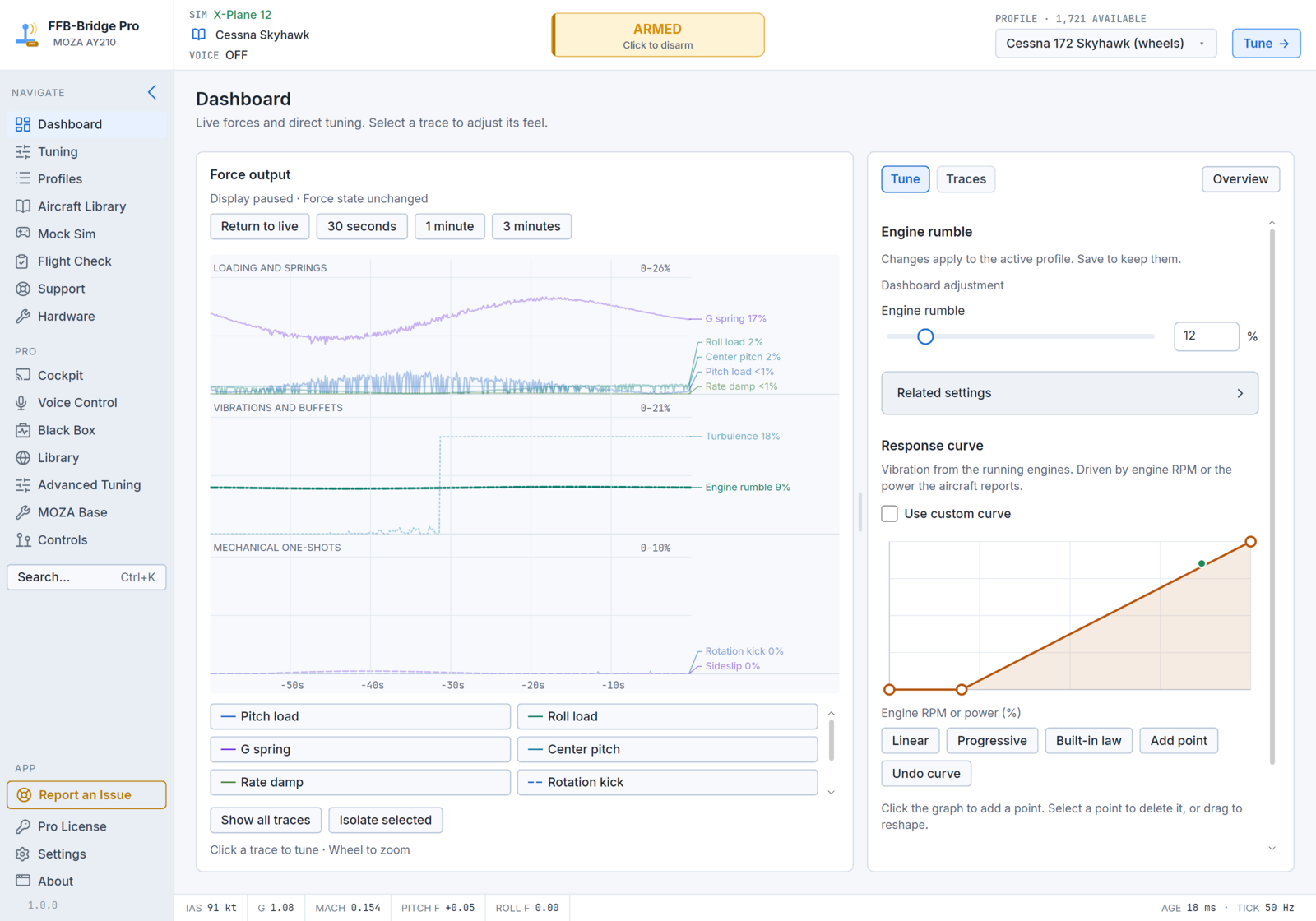
Voice Control →Voice Control, Advanced Tuning, Black Box flight recording, Cockpit Web, Controls and the online Profile Library.
One-time payment plus applicable tax. Your exact price is shown after you choose your billing country.
Hold the talk key and say what you want to change. Speech recognition runs on your computer.
Voice Control →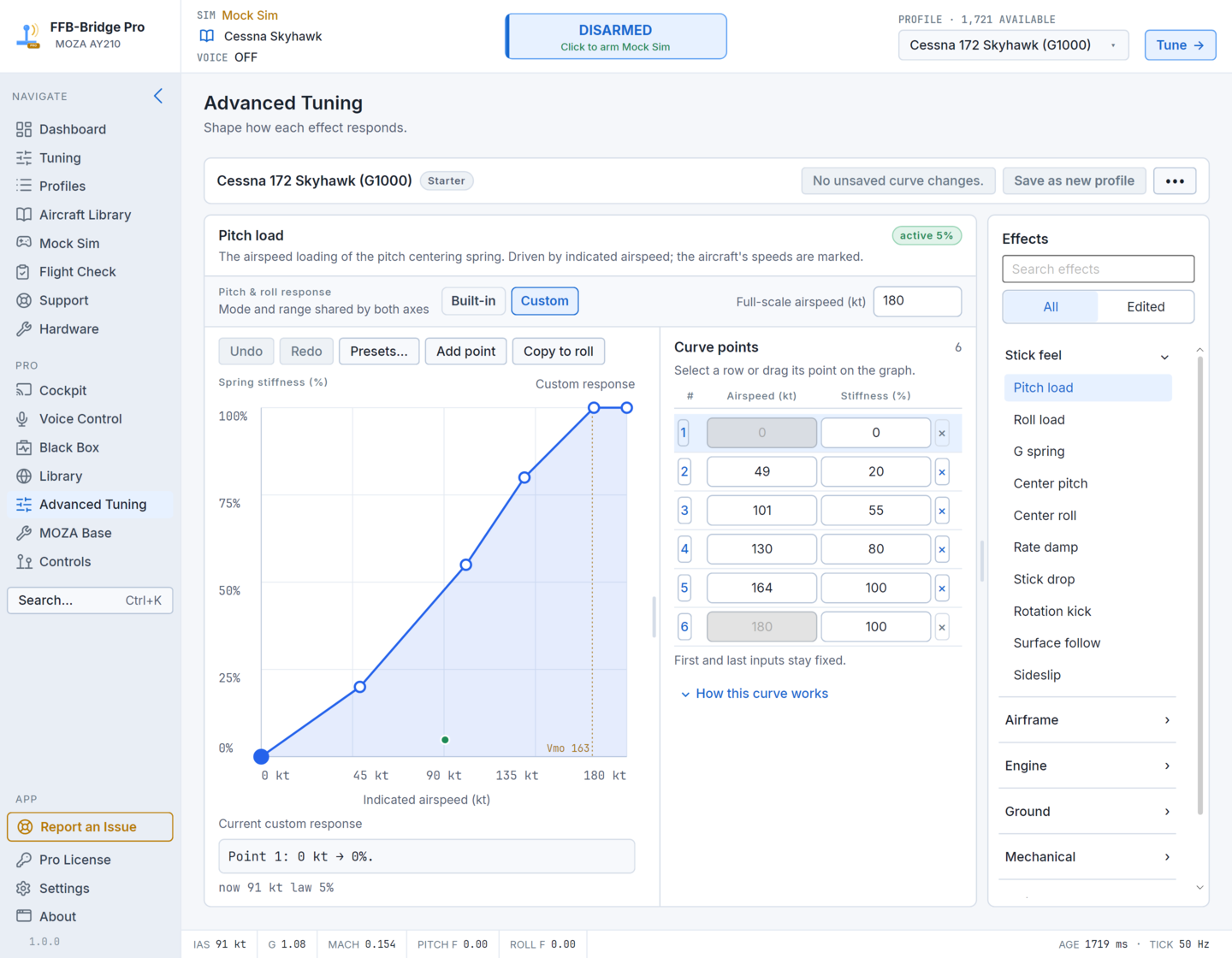
Every effect has a response curve. Set how pitch loading grows with airspeed or how runway rumble fades as you slow down, with the aircraft's V-speeds marked on the graph.
Advanced Tuning →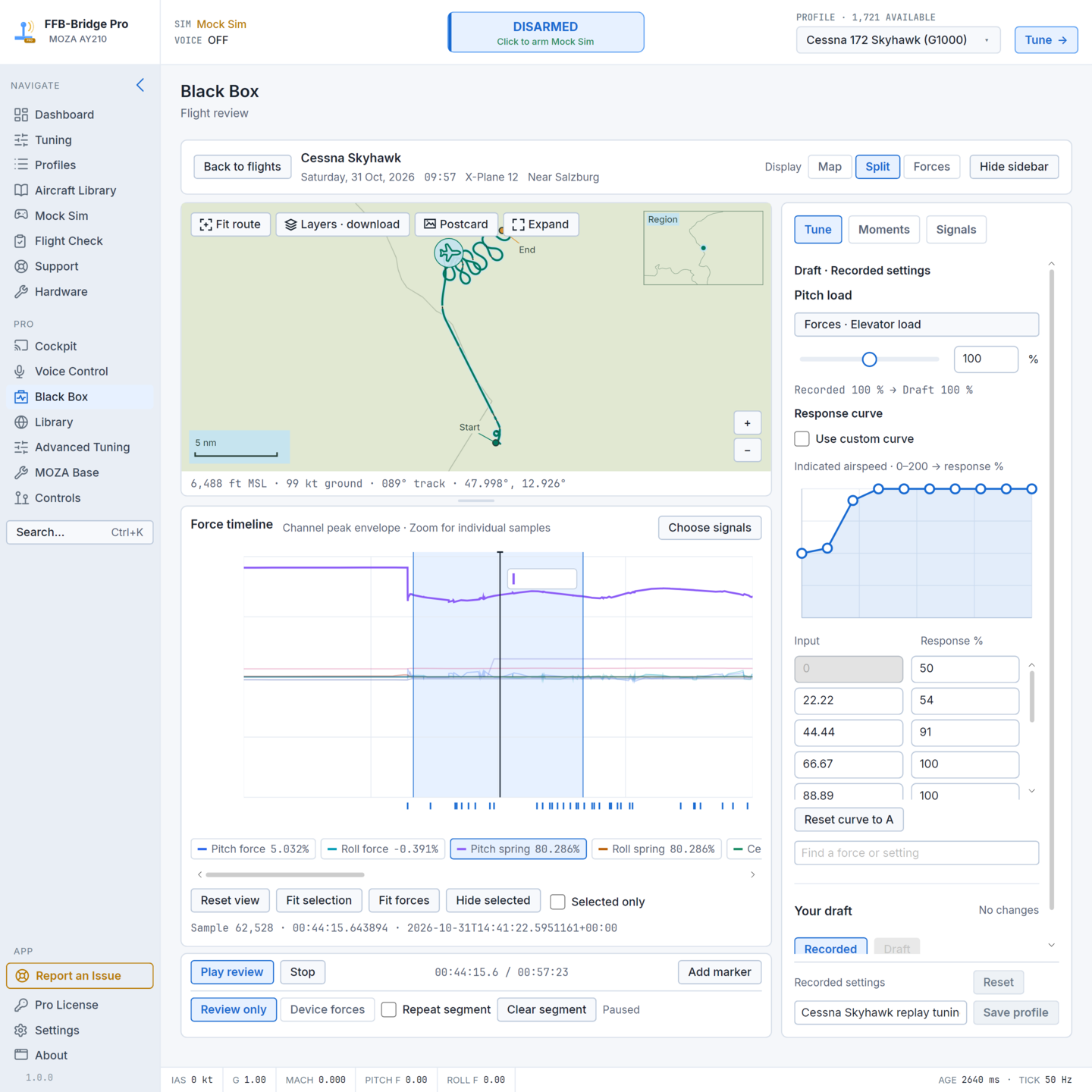
Black Box records your flights on your computer: the route, every force and the settings that produced them. Open a flight, select the approach and try a different setting against the same recorded inputs.
Black Box →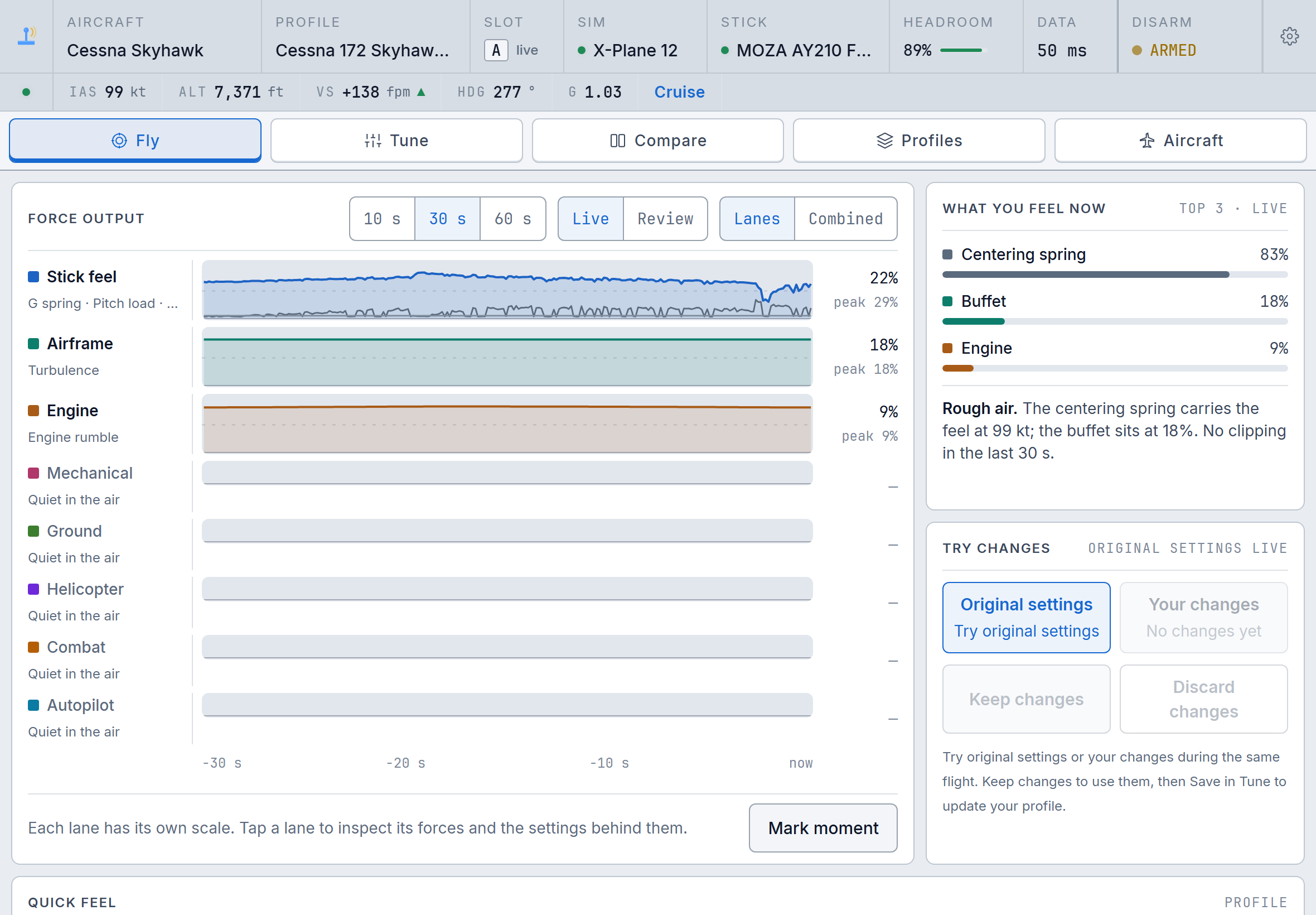
Scan a QR code and your phone or tablet becomes a second screen for Pro, with live forces, quick adjustments and A/B comparison. There is nothing to install on the tablet.
Cockpit Web →Only to activate Pro, and then at least once every 45 days to refresh the licence. Pro works offline in between.
Windows 10 (19044+) / Windows 11 (64-bit), macOS 26 or later on Apple Silicon, and 64-bit Linux. The install guide lists which simulators each system supports. Install guide
FFB-Bridge Pro supports 64-bit Windows 10 (build 19044 or later) and Windows 11. The installer includes Microsoft-certified routing drivers.
Rohsam Inc. · 2727 Steeles Ave West, Unit 103-886, Toronto, ON M3J 3G9, Canada · Terms · Privacy