A cyclic should hold, release, trim, and talk back
FFB-Bridge models rotorcraft as rotorcraft: stable cyclic damping, real force-trim behavior, slow beep-trim movement, and physical cues for the rotor states that matter.
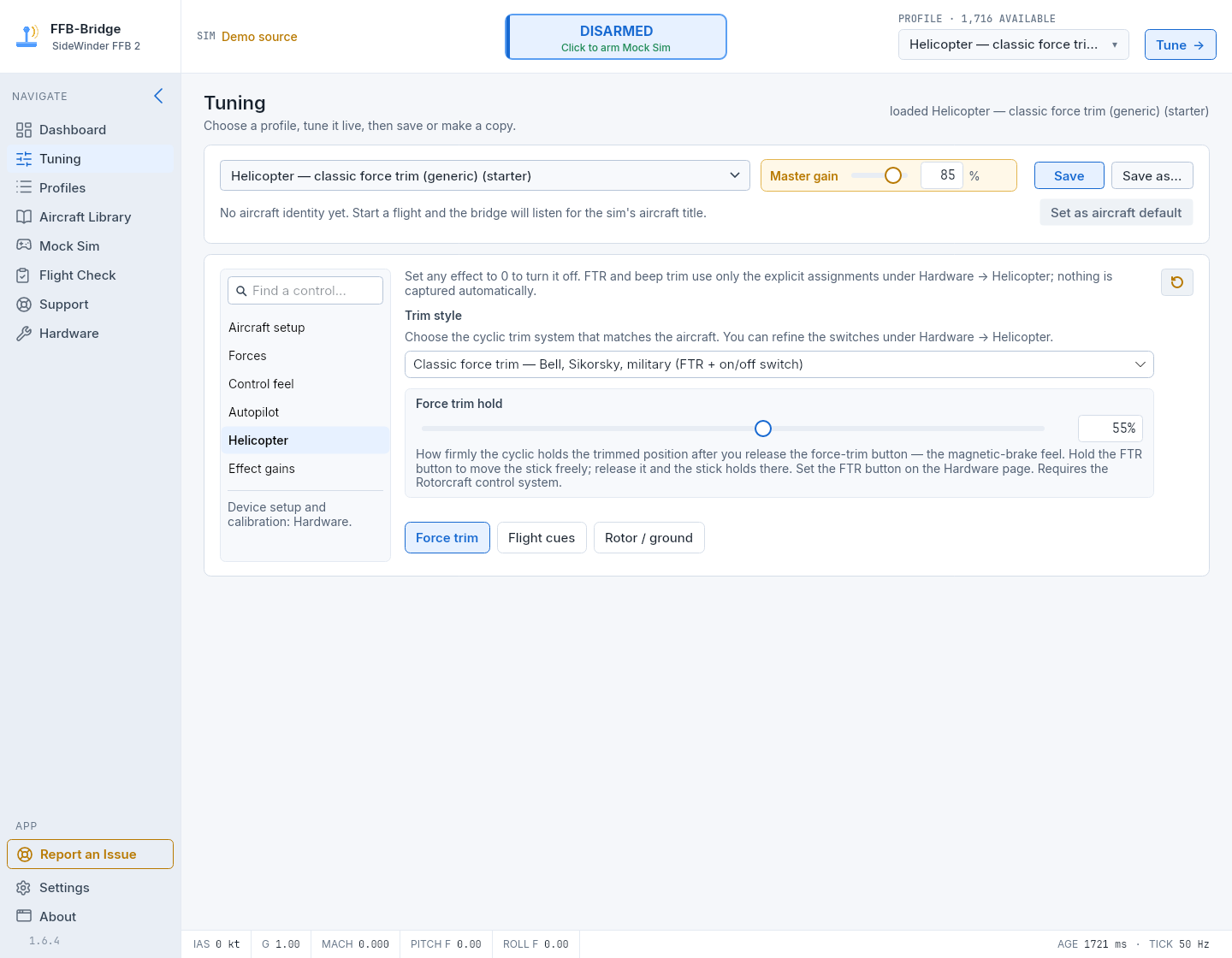
The same rotorcraft model across supported simulators
Helicopter support is built into the core force model and works across supported hardware.
Damping without a centering spring
Cyclic damping resists motion in proportion to movement, adding stability without dragging the stick back to an artificial fixed centre.
Release, reposition, and hold
Holding FTR releases the trim hold. Releasing the button captures the current cyclic position; beep trim moves that held position gradually. Base resistance, hydraulic-loss resistance and other active effects can remain while FTR is held.
Feel the rotor state through distinct flight cues
ETL, VRS, two-per-revolution, retreating-blade stall, rotor rumble, and skid contact arrive as distinct cues you can tune or disable.
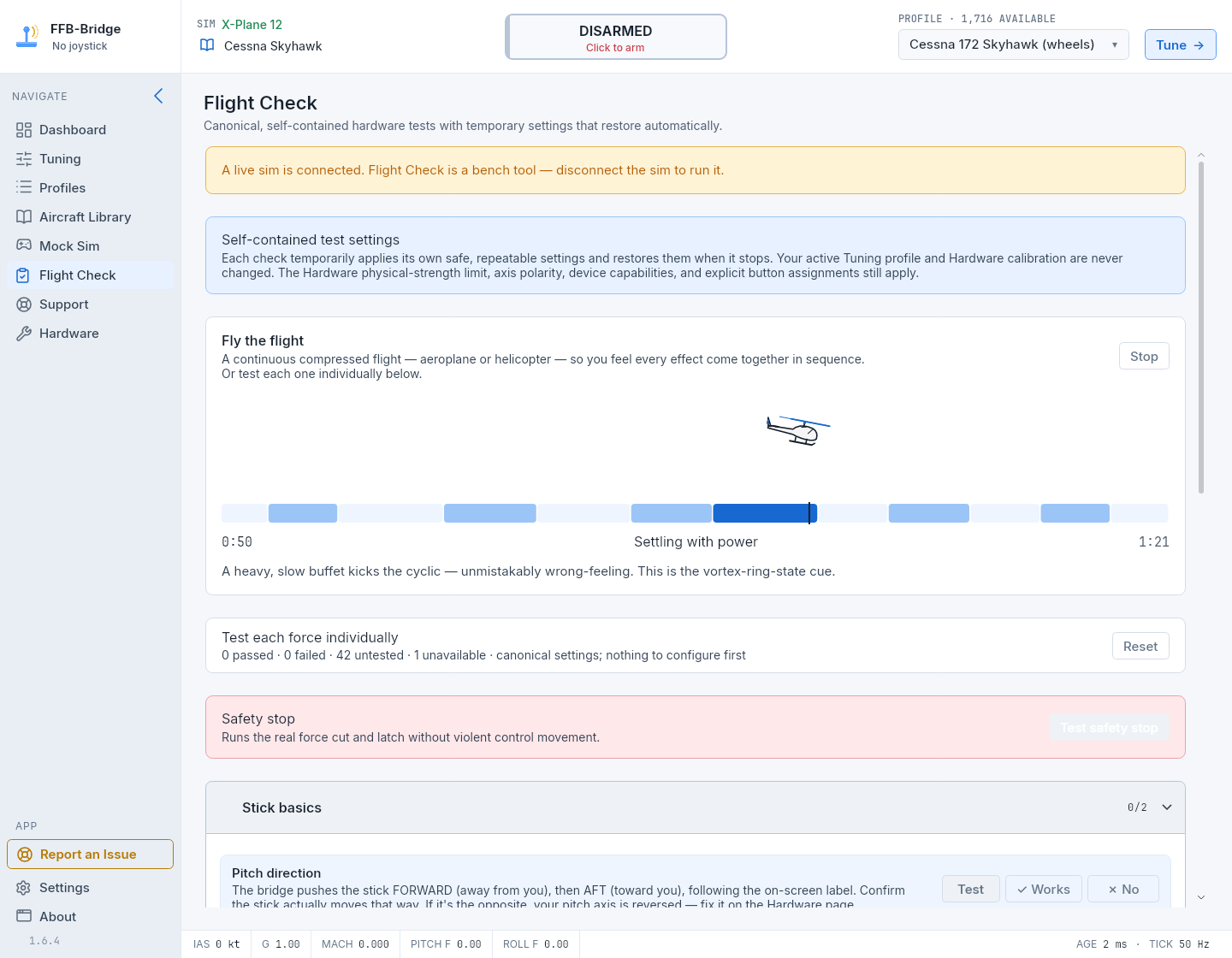
Fly a helicopter without launching the simulator
The guided helicopter finale runs the full rotorcraft sequence on the bench. Individual steps isolate damping, force trim, beep trim, and every rotor cue using repeatable temporary settings.
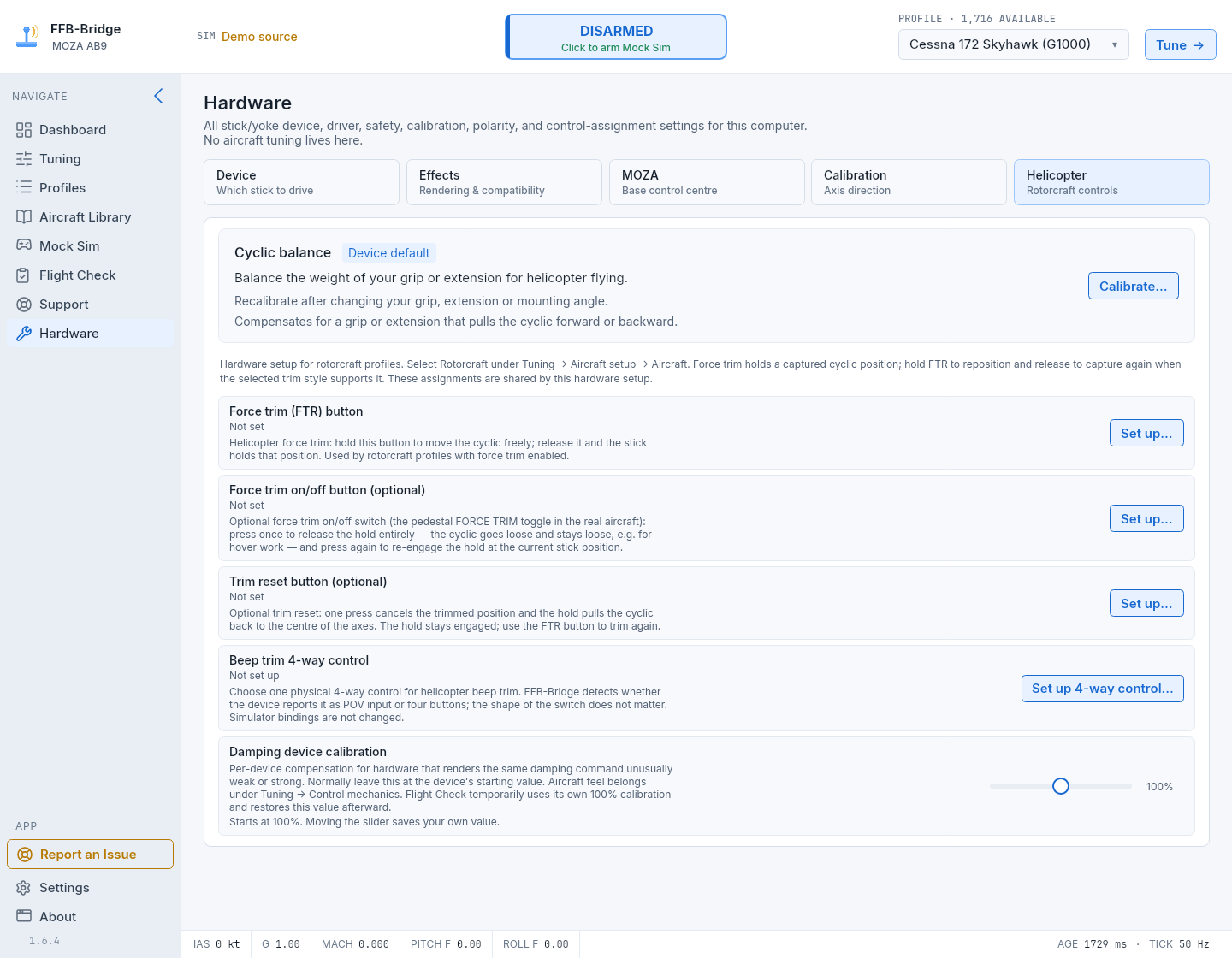
Nothing is mapped until you choose it
Use Set up… for Force Trim Release (FTR), optional force-trim on/off, optional trim reset, or beep trim. Each guide prepares device input and captures only your explicit selection. Beep trim accepts one POV hat or four buttons. Assignments are saved for the device; Bridge does not change simulator keybindings.
Build a helicopter setup you can feel and verify
Start with a helicopter profile, assign only the controls you want, and run Flight Check before the first flight.