Use the SideWinder FFB2 with Microsoft Flight Simulator 2024.
MSFS 2024 does not drive the old Microsoft SideWinder Force Feedback 2 directly. FFB-Bridge reads MSFS telemetry through SimConnect TCP and turns airspeed, G-load, ground contact, and aircraft state into force feedback on the stick.
- Simulator
- Microsoft Flight Simulator 2024
- Transport
- SimConnect TCP
- Hardware
- USB SideWinder FFB2 plus selected Logitech FFB sticks
- OS
- Windows 11 · Linux (Proton)
The short path.
- Install FFB-Bridge and plug in a supported force-feedback joystick.
- Start MSFS 2024 and let it reach the main menu or a loaded flight.
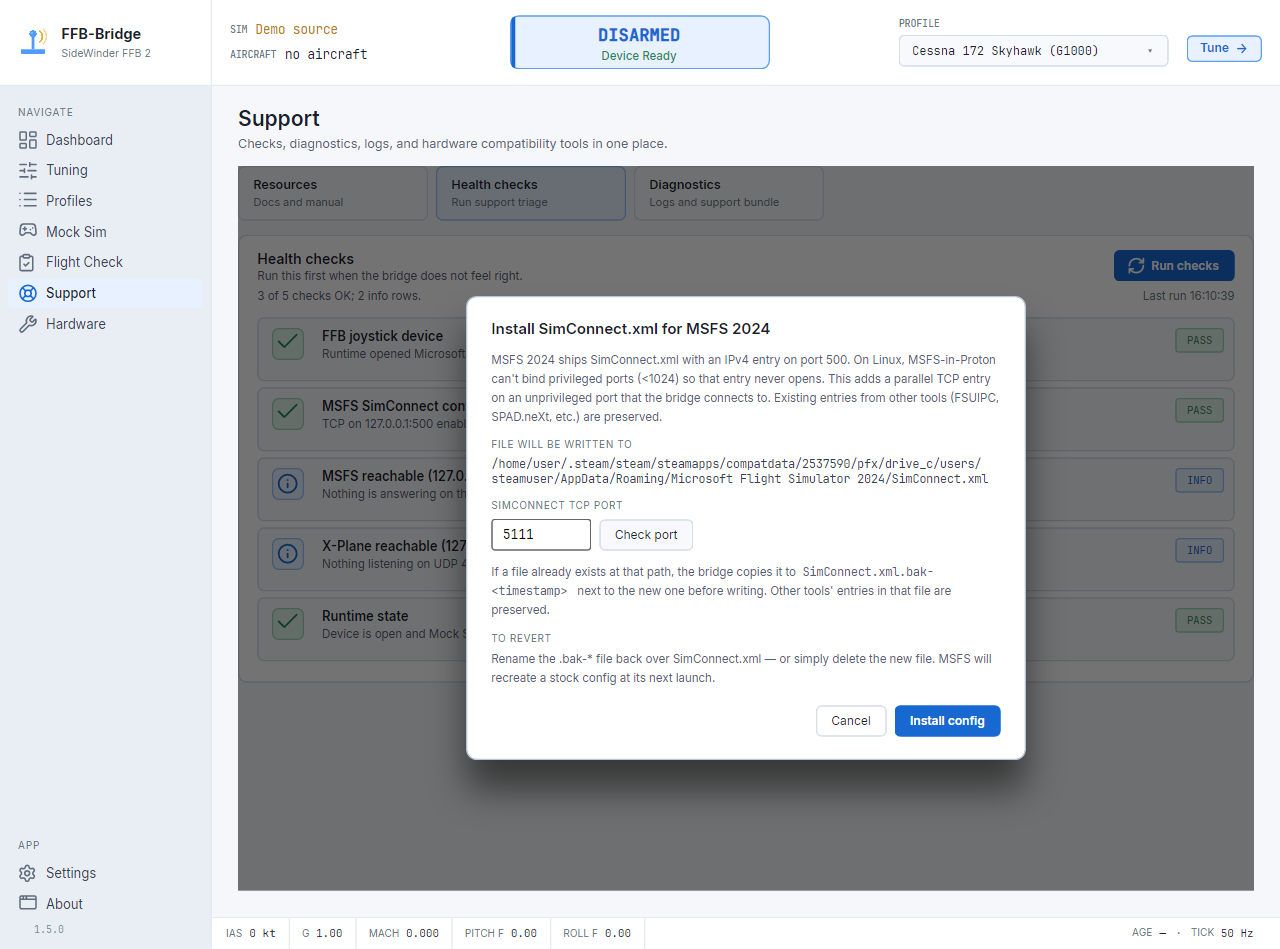
- Let FFB-Bridge add or verify the SimConnect TCP entry.
- Pick the starter profile, clear the desk, then arm from the cockpit ARM gauge.
Use the Support page when MSFS is reachable but quiet.
The app can check SimConnect reachability and show why the bridge is not yet receiving the telemetry stream it needs.
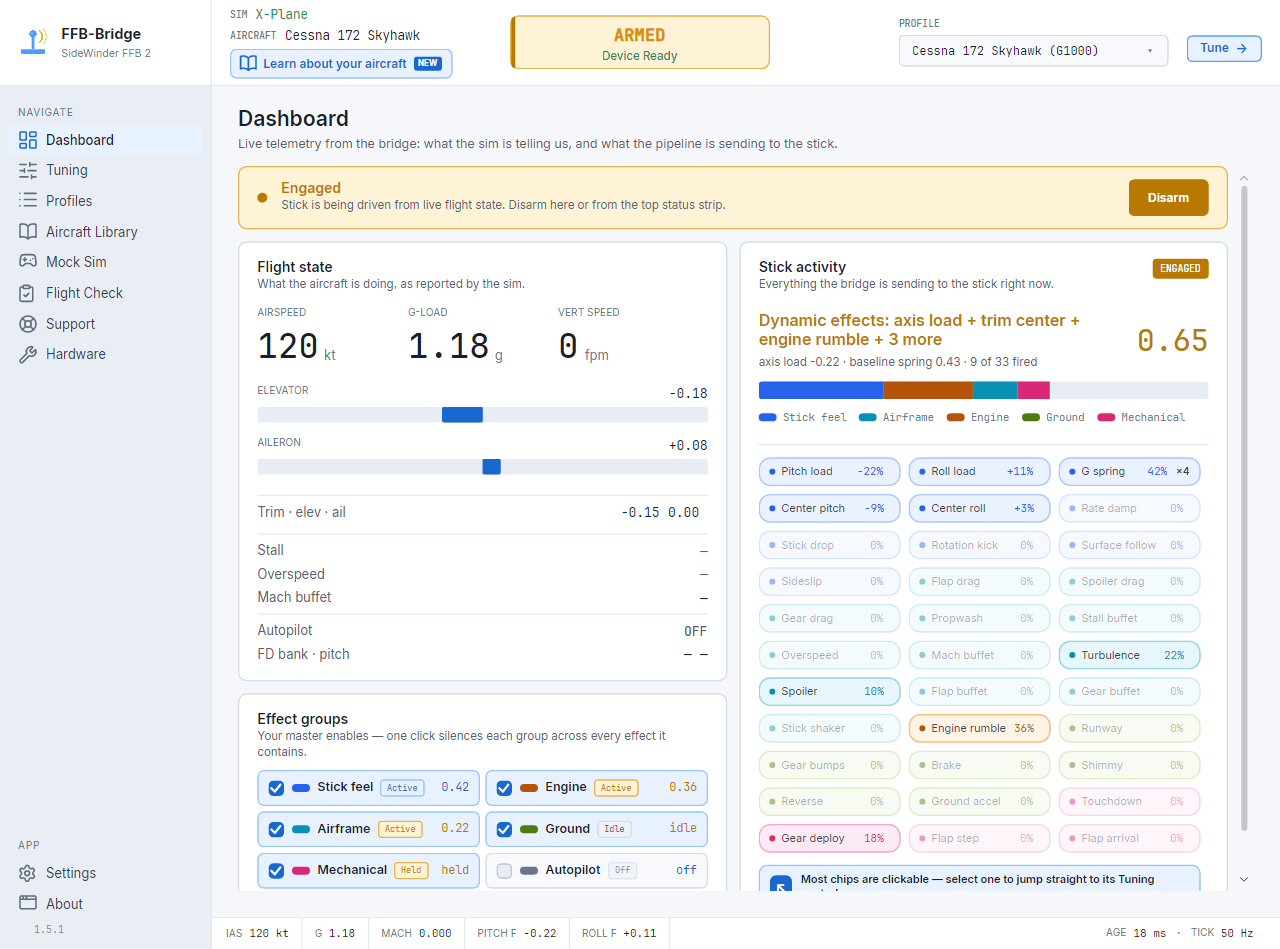
Airspeed, G, runway, buffet
Elevator and aileron loading scale with flight state. Ground rumble, brake shudder, stall buffet, Mach buffet, gear and flap cues add the smaller tactile hints.
Effect listSimConnect reachable, no data
MSFS can accept a TCP connection before its SimVar stream is ready. Wait for the main menu or loaded flight, then let Support checks re-check the connection.
TroubleshootingMSFS under Proton
FFB-Bridge can run outside the Proton prefix and connect through loopback, but the SimConnect port and bind address need to match the MSFS setup.
Proton notesCommon MSFS 2024 questions.
Does MSFS 2024 support the SideWinder FFB2 directly?
No. FFB-Bridge runs beside the sim, reads MSFS telemetry through SimConnect TCP, and sends force-feedback commands to the USB SideWinder FFB2.
Do I need to install an MSFS add-on?
No package goes into the Community folder. The bridge uses the normal SimConnect path and can add or verify the TCP entry when Support checks test the connection.
Why does SimConnect connect but show no flight data?
MSFS can accept the TCP connection before SimVars are flowing. Let the sim reach the main menu or a loaded flight, then run Support checks again if the SIM lamp stays unhealthy.
Can this work with MSFS under Proton on Linux?
Yes, with caveats. FFB-Bridge runs on Linux outside the Proton prefix, so the SimConnect bind address and port need to be reachable from the Linux host.
MSFS 2024 force feedback starts with the bridge.
Download FFB-Bridge, then keep the MSFS setup doc open for the first connection.