Download FFB-Bridge.
A free force-feedback app for flight simulators on Windows, Linux, and macOS, developed and published by Rohsam Inc. Sign up once and your private download links arrive by email, plus occasional release-update notices you can unsubscribe from at any time.
No payment is required to get the app. After your free download links arrive, you can optionally support development if FFB-Bridge helps your setup.
Current build:
v1.5.1 · download published 2026-09-16
Supported hardware includes MOZA AB6, AB9, AY90 and AY210; Microsoft SideWinder Force Feedback 2; Logitech G940, Force 3D Pro and WingMan Force 3D; supported Brunner DirectX devices; and selected SideWinder Force Feedback Pro adapters. Capability and physical test evidence vary by exact model and platform. See the hardware guide before assuming a particular feature is qualified. Eligible unlisted joysticks require an experimental opt-in.
MOZA AB6, AB9, and AY210 support Logitech support notes Download FFB Probe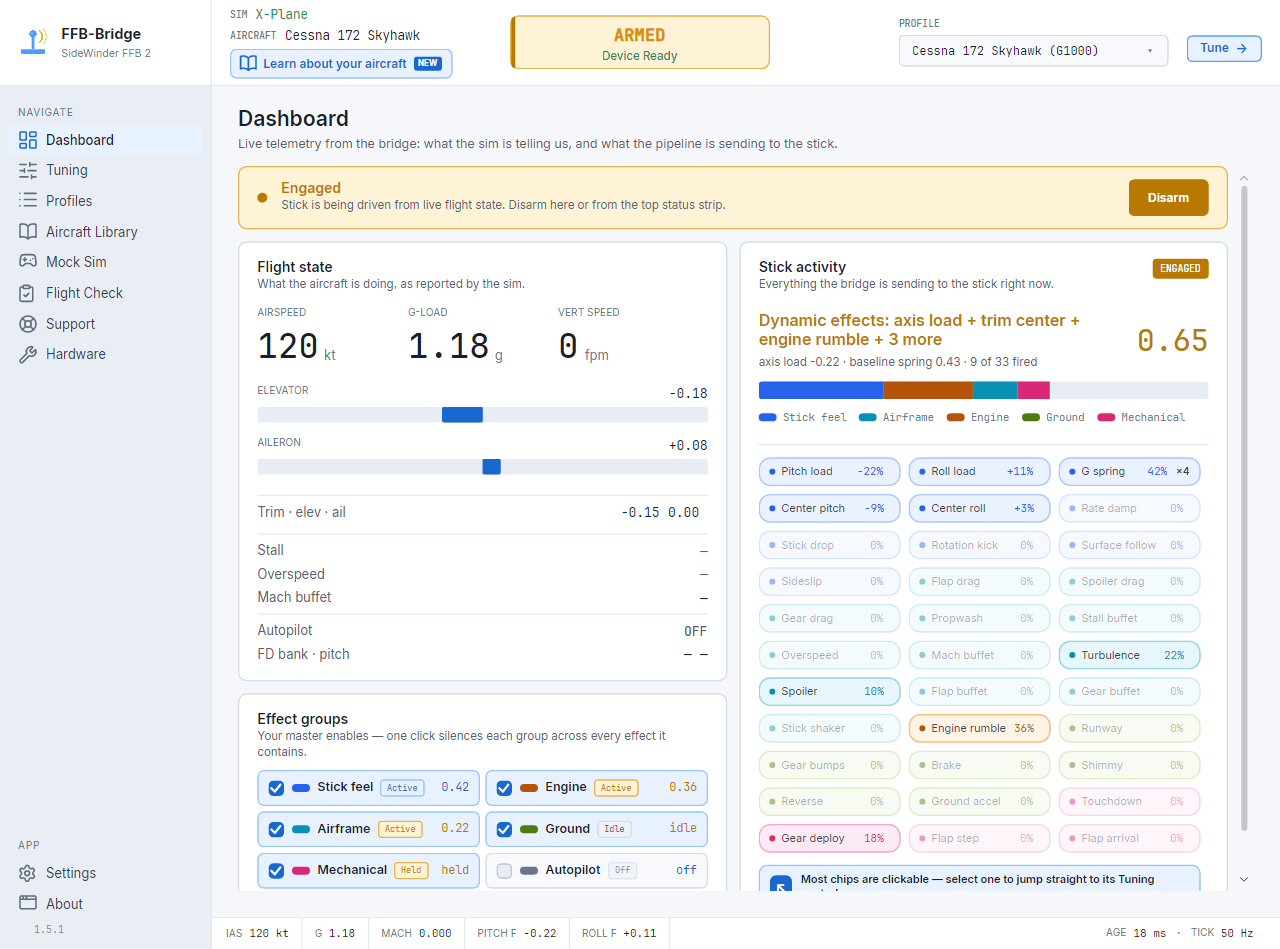
v1.5.1
- Windows
- ffb-bridge-setup-1.5.1-x64.exe 39 MB · SHA-256 3494069909217bbd2d37afa40265e07001952c6c6c61450f409c5a84f772e2ea
- Linux
- FfbBridge-1.5.1-x86_64.AppImage 46 MB · SHA-256 ce136605bc7fce4a45329d408ed3e1b6792403b522d0f677f4810d9f21f2f9eb
- macOS
- FfbBridge-1.5.1-arm64.dmg 50 MB · SHA-256 20b95a54154d901d050f668101e27262a39c7dcd34ed0d72c37baad771a71c64
Verify Rohsam before installing.
The Windows installer is code-signed by the Rohsam publisher identity. Brand-new signed builds may still show SmartScreen reputation prompts until those files gain download history; verify the publisher as Rohsam Inc. or RohsamInc before continuing.
Publisher verificationNo telemetry from the app.
The desktop app talks to MSFS or X-Plane over local loopback and to the joystick over USB. It does not send flight data, settings, or hardware details over the internet.
Privacy policySend evidence when something breaks.
Diagnostics can export a local support bundle with logs, settings, Support checks output, and system facts. You decide whether to attach it to a feedback report.
Support bundle guideFree download. Optional support.
FFB-Bridge is free and keeps its current features free. If you want to help cover development, signing, infrastructure, and hardware testing, you can choose an optional support amount.
Support the DevFrom email link to first force.
Future updates arrive inside the app
Windows and packaged Linux AppImage installs can download, verify, install, and restart after your approval. macOS checks automatically and opens the signed download.
- Confirm the email link and choose the Windows installer, Linux AppImage, or macOS DMG.
- Install per platform: verify the Windows publisher, make the Linux AppImage executable, or open the macOS DMG and drag FFB-Bridge to Applications.
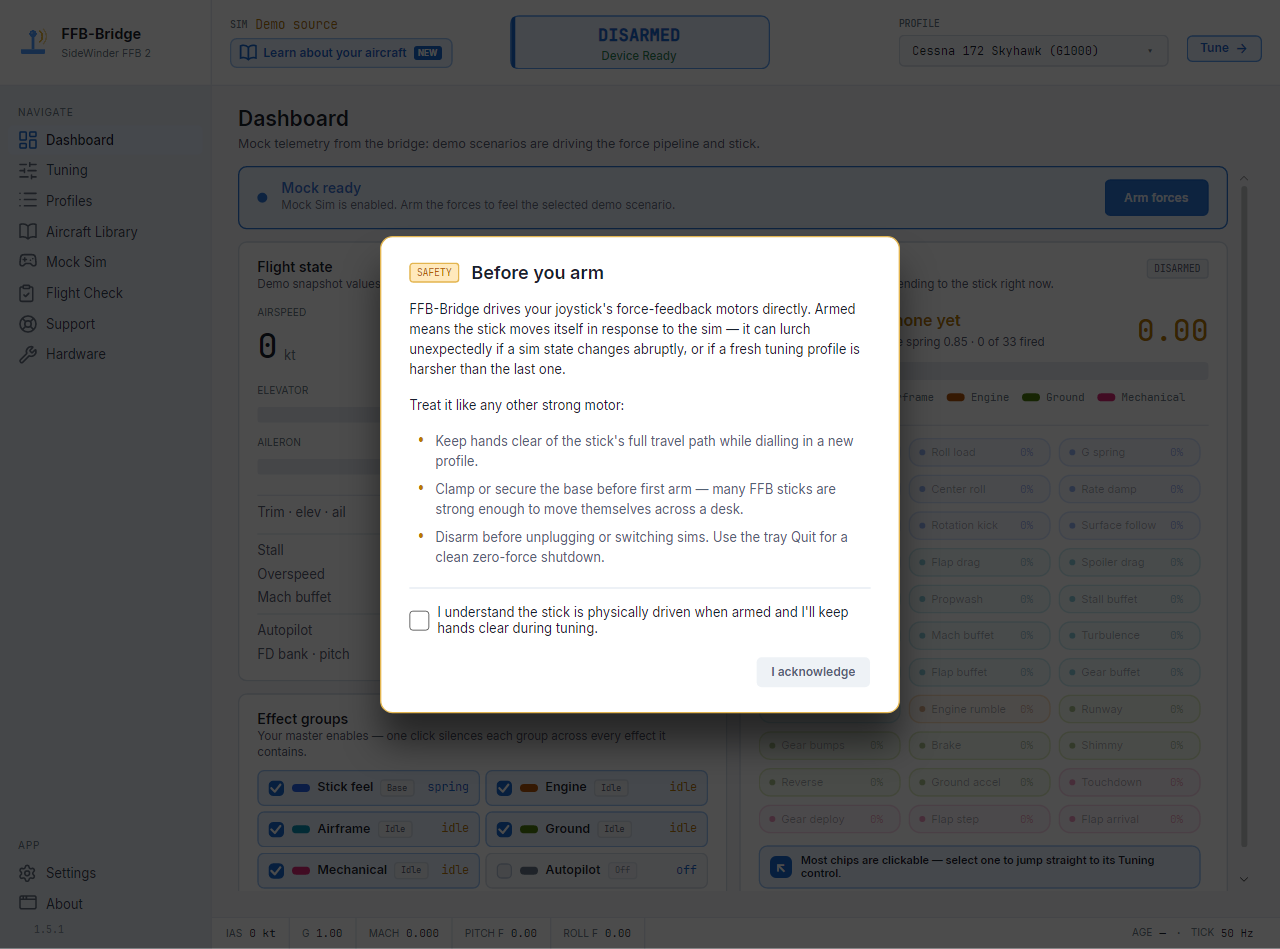
- Launch FFB-Bridge, acknowledge the safety prompt, then confirm your supported joystick on the Support page.
- Arm from the cockpit ARM gauge only when your desk is clear and the stick is ready to move.