Libreria dei velivoliBell 206 family
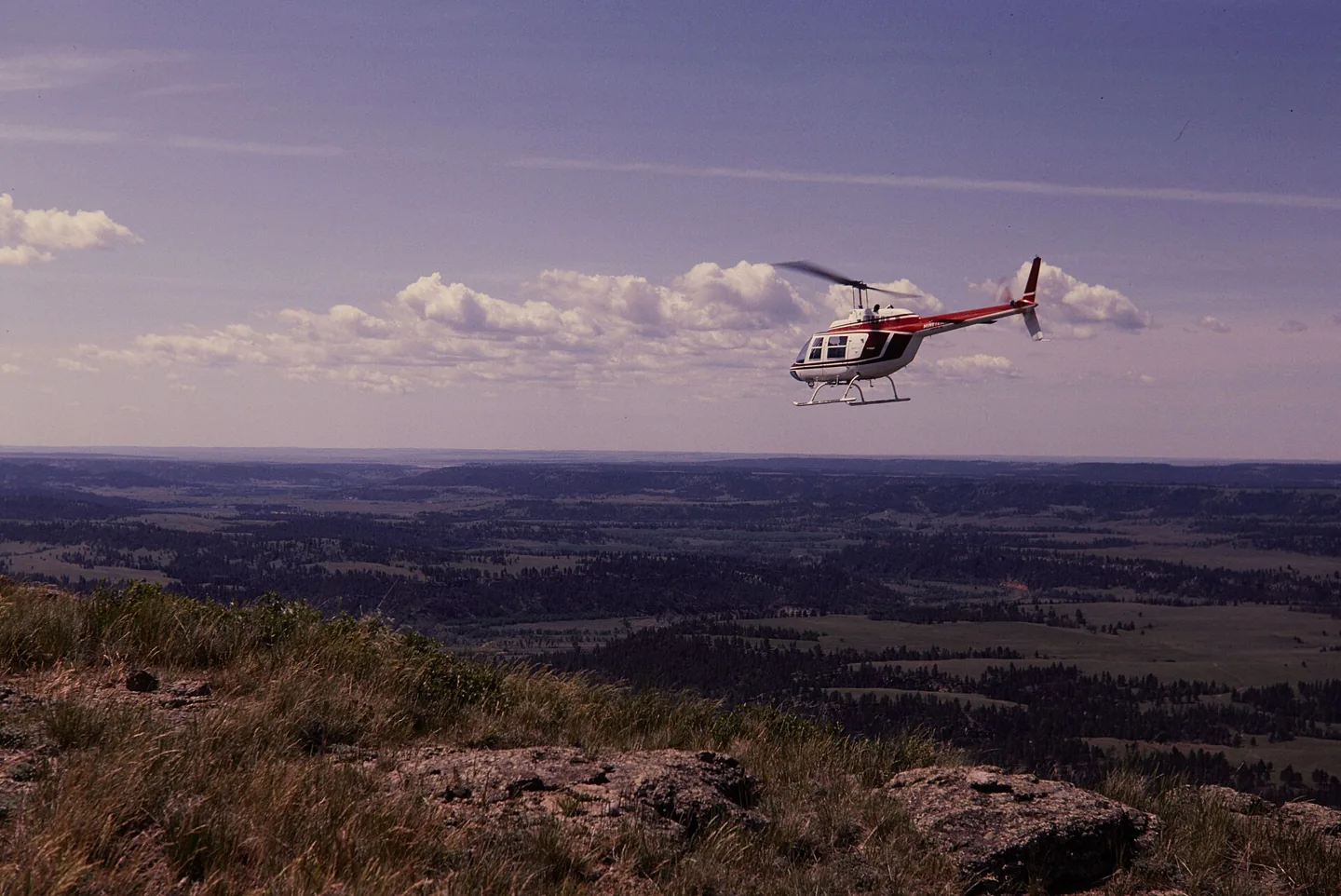
Bell 206 familyThomas C. Gray / National Park Service · Public domain · Bell 206 above Devils Tower National Monument

Bell 206 family

Hydraulically assisted cyclic controls with selected friction and trim behaviour, plus two-blade rotor cues.
HelicopterB0610 opzioni di profilo

Conosci l'aereo

Bell reworked an unsuccessful military observation-helicopter proposal into the commercial JetRanger. The resulting 206 family became widely used for passenger transport, observation and utility work. The familiar single-engine versions use a two-bladed main rotor.

The 206B JetRanger and stretched 206L LongRanger are separate branches of that story. Their cabins, engines and equipment are not identical. Cowan documents each model's trim, autopilot and stability-assistance features separately.

Bell 206 JetRanger

Powerplant
Rolls-Royce 250-C20J, 420 shp↗
Seats
5↗
Max takeoff weight
3,200 lb (1,451 kg)↗
Main rotor diameter
33 ft 4 in (10.16 m)↗
Length overall
39 ft 8 in (12.09 m)↗
Never exceed (Vne)
122 KIAS↗
Cruise
≈110 kt↗
Service ceiling
13,500 ft↗
Range
≈374 nm↗
Usable fuel
91 US gal↗
Rotor system
Two-blade teetering, hydraulically boosted↗
First flight (206A)
1966↗

Scopri di più su questo aeromobile su AirframeDB

The expedition aircraft carried equipment beyond a normal cabin

Powerhouse records additional fuel capacity, navigation equipment, an autopilot and camera installations in VH-DIK. Its description also identifies survival equipment and later North Pole additions, showing why this individual expedition aircraft should not be treated as an ordinary passenger JetRanger.

Force trim has a mechanical basis

The 206B-3 manual describes magnetic brakes and force-gradient springs in the cyclic circuits, alongside adjustable control friction. This describes the documented trim equipment; a simulator profile must separately state whether local force trim is enabled.

A childhood airshow ride becomes a training goal

An eight-minute JetRanger ride at Farnborough when he was nine stayed with Berry for years. A later trial lesson renewed that enthusiasm, but adding the type to his licence meant a difficult choice about a limited training budget. He decided that learning the turbine helicopter was worth the additional commitment.

The course challenged the confidence he had built in the R22. Unfamiliar hydraulic controls, greater weight and a new cockpit made previously comfortable tasks demanding again. Berry especially valued instructor Paul White’s calm approach and emphasis on understanding the aircraft. His account is openly affectionate, including the pleasure of the turbine’s sound, but its strongest theme is the mental adjustment from feeling competent in one helicopter to becoming a learner in another.

A winter demonstration of the developing JetRanger

Middlebrook introduced the reporting team to a JetRanger II from Atlantic Aviation at Teterboro. The aircraft’s cabin helped explain its appeal beyond traditional utility work: entry was straightforward, the windows were generous and the reviewers found useful room in the occupied seats. The middle rear position was less accommodating, a detail retained alongside the favourable first impression.

Flying on a cool winter day, the team found quick control response that could encourage overcorrection at first. The approach also required adjustment to the helicopter’s ability to retain speed. They measured cabin noise and described the vibration rather than relying only on appearance. Their report preserves a contemporary introduction to the developing turbine transport, while distinguishing the conditions they experienced from comments other pilots supplied about turbulence.

Filming the world while flying around it alone

Smith’s journey required him to fly, navigate, communicate and record the view for a documentary. The museum’s account describes the exhaustion of the first Atlantic leg, after which he considered abandoning the attempt. Family reunions and periods of maintenance punctuated a trip completed in three stages, with substantial help from people arranging matters on the ground.

Crossing the North Pacific brought another unusual logistical task: finding a cargo ship able to provide a refuelling stop along the route. The successful return to Texas in July 1983 completed the circumnavigation. Smith continued using the helicopter for further adventures before flying it to the Powerhouse Museum in 1990. The donated aircraft and film preserve both the record and the personal work involved in making the journey visible to others.

Fonti pubbliche 28
  1. Bell 206Research background · Wikipedia revision 1373277311 · retrieved 2026-09-12
  2. CowanSim 206B3 user manual · MSFS
  3. CowanSim 206L3 user manual · MSFS
  4. CowanSim manuals
  5. Microsoft Flight Simulator aircraft manuals
  6. SAS Autopilot Manual
  7. B206 releases and manual
  8. User Manual for Microsoft Flight Simulator
  9. SAS Manual
  10. User Manual
  11. X-Plane aircraft and avionics manuals
  12. 206B3 for MSFSOfficial developer / designated store catalogue · checked 2026-09-12
  13. 206L3 for MSFSOfficial developer / designated store catalogue · checked 2026-09-12
  14. 206B3 for X-PlaneOfficial developer / designated store catalogue · checked 2026-09-12
  15. 206L3 for X-PlaneOfficial developer / designated store catalogue · checked 2026-09-12
  16. B-206Official developer / designated store catalogue · checked 2026-09-12
  17. Tur-bine or not Tur-bine?James Berry · May 2021, personal type-rating account
  18. Pilot Report: Bell JetRanger IIUncredited May 1973 flight report, republished March 2018; demonstration by Tuck Middlebrook
  19. Dick Smith Australian Explorer, VH-DIKDick Smith’s journey documented by curator Margaret Simpson; object 90/816
  20. Forty years since the first solo helicopter circumnavigationManufacturer retrospective · 2023
  21. ICAO Doc 8643 — aircraft type designatorsPublic search data retrieved 2026-09-14; authority update 2026-09-03
  22. B206 catalogue sourceProduct listing captured 2026-09-24; edition scope from the reviewed catalogue
  23. Bell 206B-3 Flight ManualOriginal published Bell 206 reference; scope given beside each claim
  24. FAA TCDS H2SWFonte stampata o archiviata; nessun collegamento pubblico
  25. Bell published dataFonte stampata o archiviata; nessun collegamento pubblico
  26. Vertical Magazine — Bell-heritage pilot on force-trim techniqueOriginal published Bell 206 reference; scope given beside each claim
  27. FAA Helicopter Flying Handbook — ETL, transverse flow, VRSOriginal published Bell 206 reference; scope given beside each claim
  28. Greenspun — Bell 505 (206L4 rotor) vibration notesOriginal published Bell 206 reference; scope given beside each claim

Come il profilo lo modella

CowanSim 206B3 JetRanger

Free + Pro
X-Plane 12CowanSim

Bell reworked an unsuccessful military observation-helicopter proposal into the commercial JetRanger. The resulting 206 family became widely used for passenger transport, observation and utility work. The familiar single-engine versions use a two-bladed main rotor.

This profile selects CowanSim 206B3 JetRanger for X-Plane 12.

The spring stays independent of airspeed. Directed aerodynamic loading is omitted.

Local force trim is off. Autopilot following is off.

Cyclic damping is on. Its configured gain is 0.35; it resists hardware motion separately from the spring and aircraft stabilization.

Controls and trim

The Bell 206B-3 flight manual describes adjustable cyclic and collective friction, together with magnetic brakes and force-gradient springs in its cyclic force-trim system. CowanSim's 206B3 and longer-cabin 206L3 have separate manuals and optional HeliSAS procedures. FlyInside and DreamFoil implement different dynamics and stability options. A software trim-release command, sound or stability setting does not provide a continuous physical cyclic-neutral position.

CowanSim 206B3 user manual — MSFSCowanSim HeloSAS autopilot manualCowanSim 206B3 user manual — X-PlaneCowanSim 206L3 user manual — MSFSFlyInside B206 user manual — MSFSBell 206B-3 Flight Manual

The selected implementation

CowanSim's per-aircraft and simulator-edition trim/reset behavior remains separate from a local hardware-centre latch. An unsupported hydraulic binding does not create a force command.

CowanSim 206B3 user manual — X-PlaneSAS Manual

About the values

The gains are normalized profile settings. They describe the chosen effect balance; hand force depends on the device and its output limits. IAS references are tuning values rather than operating limits. Physical acceptance of this revision remains pending.

Master gain & control system

Master gain65%

La scala finale complessiva applicata a tutto ciò che il modello produce, prima del limite del dispositivo.

Più: tutto (molla, carichi, effetti) si rafforza insieme.

Meno: tutto si ammorbidisce insieme.

Perché qui: Scales overall profile strength while preserving effect balance, subject to device and output limits.

Forces

Spring strength14%

La forza di centraggio di base che riporta la barra al centro. Ogni altra forza si somma a questa. Troppo bassa e la barra sembra molle in volo normale; troppo alta e combatte la mano, mascherando i segnali più piccoli sovrapposti.

Più: un centraggio più fermo che resiste di più alla mano.

Meno: una barra più molle che conta solo sul carico aerodinamico.

Perché qui: Magnetic brakes and force-gradient springs provide mechanism context for cyclic centering; longer cabin or rotor audio does not establish a heavier cyclic. The baseline spring is 0.14. Low-speed spring blending is off.

CowanSim 206B3 user manual — MSFSCowanSim HeloSAS autopilot manualCowanSim 206B3 user manual — X-PlaneCowanSim 206L3 user manual — MSFSFlyInside B206 user manual — MSFSBell 206B-3 Flight Manual
Spring deadband2%

Una piccola zona neutra attorno al centro dove la molla resta silenziosa, così i micro-movimenti a riposo non vibrano. Più larga è più tranquilla ma più lasca; più stretta è più precisa ma può fremere attorno al centro.

Più: un centro più calmo ma più lasco, con più gioco.

Meno: un centro più serrato che può fremere a riposo.

Perché qui: Sets travel around the centre before the baseline spring resists. Smaller values engage it sooner.

Overall aerodynamic load0%

Una scala maestra su entrambi i carichi d'asse sostenuti, applicata prima del loro bilanciamento indipendente. Di norma i profili la lasciano stare e regolano i due carichi d'asse.

Più: entrambi gli assi caricano più forte.

Meno: entrambi gli assi si alleggeriscono insieme.

Perché qui: The 0 gain omits sustained directed airspeed loading. Spring resistance remains independent.

Airspeed blendingFalse

Attiva la finestra di innesto della molla a bassa velocità (nodi di inizio/pieno qui sopra). Spento, la molla è costante a ogni velocità.

Perché qui: Allows baseline spring strength to rise with indicated airspeed where the control law permits it.

Low-speed spring floor100%

Quanta molla sopravvive da fermo, prima che la velocità possa generare forza aerodinamica. Un pavimento alto tiene salda la barra parcheggiata; uno basso dà la sensazione lasca, da cavi allentati, di un aereo leggero in sosta.

Più: una barra più salda in sosta e al rullaggio.

Meno: una barra molle da fermo che si sveglia solo con la velocità.

Perché qui: Sets low-speed spring strength as a fraction of baseline when blending is enabled. One keeps full strength.

Spring engagement start8 kt

La velocità a cui la molla comincia a salire dal suo pavimento di bassa velocità verso la piena forza: i comandi che «prendono vita» in corsa di decollo.

Perché qui: Sets the IAS where the low-speed spring blend starts rising. This is a feel threshold, not a flight limit.

Spring engagement full50.0 kt

La velocità a cui la molla raggiunge la piena forza. Tra l'inizio e questo punto il centraggio si irrigidisce progressivamente man mano che il flusso cresce sui comandi.

Perché qui: Sets the IAS where the low-speed blend reaches baseline strength; high-speed stiffening also uses it.

Velocità di regolazione della forza100

La velocità indicata a cui il carico aerodinamico raggiunge il livello pieno di progetto. Ancora l'intera curva di carico al reale intervallo di velocità dell'aereo: un 172 carica verso 110 nodi, un jet molto più tardi.

Più: i carichi arrivano più tardi; la barra resta leggera fino a velocità più alte.

Meno: i carichi arrivano prima e la crociera pesa di più.

Perché qui: Sets the IAS reference for aerodynamic loading. It is an estimate, not published cruise TAS or a flight limit.

Centre firmness vs speed0%

Quanto il centraggio stesso si irrigidisce con la velocità, oltre ai carichi da deflessione. Zero mantiene costante la sensazione del centro; di più fa centrare la barra più dura in crociera e più lasca in circuito.

Più: un centro che si indurisce nettamente con la velocità.

Meno: una sensazione di centro costante a ogni velocità.

Perché qui: Adds permitted spring resistance above the full-blend speed. Zero removes this high-speed increase.

Centre stiffening cap5

Il limite superiore all'irrigidimento del centro dovuto alla velocità, così il volo molto veloce non può caricare la molla senza limite.

Più: più irrigidimento totale concesso ad alta velocità.

Meno: l'irrigidimento si ferma prima.

Perché qui: Limits the squared airspeed ratio used for high-speed spring stiffening; it is not a device-force cap.

Aileron load72%

Il carico sostenuto di rollio da deflessione degli alettoni e velocità, bilanciato indipendentemente dal beccheggio. Insieme al carico dell'equilibratore fissa il rapporto di armonia dei comandi di cui parlano le recensioni.

Più: sforzi di rollio più pesanti.

Meno: alettoni più leggeri e scattanti.

Perché qui: Roll and pitch aerodynamic scales are 0.72 and 1, respectively. These stored weights do not create directed aerodynamic loading while that term is inactive. No custom spring-travel curve is enabled.

Elevator load100%

Il carico sostenuto di beccheggio da deflessione dell'equilibratore e velocità, bilanciato indipendentemente dal rollio. È la leva principale dietro il peso di beccheggio di un tipo. Non tocca alettoni, molla, trim né forze di buffet.

Più: sforzi di beccheggio sostenuti più pesanti in velocità.

Meno: una profondità più leggera, meno muscolosa da tenere.

Perché qui: Scales pitch aerodynamic loading; pitch spring travel and trim responses are separate settings.

Max output force55%

Un tetto su ogni forza stabile di beccheggio o rollio prima che raggiunga il dispositivo, a protezione da colpi o saturazioni dell'hardware nelle manovre energiche.

Più: picchi di forza stabile più alti prima del taglio.

Meno: un tetto più morbido; le manovre dure si appiattiscono prima.

Perché qui: Caps directed-force output. Native spring effects and device limits remain separate.

Trim

Trim relief (elevator)0%

Quanto il trim di profondità allevia lo sforzo di beccheggio mantenuto e sposta dove la barra si assesta. Al 100 %, un aereo trimmato bene non richiede pressione mantenuta: il flusso di lavoro trimma-via-il-carico del volo reale.

Più: il trim toglie più sforzo mantenuto; al 100 %, trim pieno lo annulla.

Meno: continui a tenere sforzo anche trimmato.

Perché qui: Scales supported pitch-trim relief and permitted centre movement. Zero removes pitch response.

Trim relief (aileron)0%

Lo stesso sollievo per il trim di rollio. La maggior parte dei tipi di aviazione generale non ha un vero trim degli alettoni, quindi resta a zero; i tipi con trim di rollio ricevono un valore corrispondente.

Più: il trim di rollio toglie più sforzo mantenuto.

Meno: il trim di rollio fa meno.

Perché qui: Scales supported roll-trim relief and permitted centre movement. Zero removes roll response.

Effect gains · Ground

Runway rumble0%

Vibrazione di rotolamento da velocità delle ruote e tipo di superficie: asfalto, erba o ghiaia sotto il carrello.

Più: una texture di superficie più forte nella barra.

Meno: un rullaggio più liscio.

Perché qui: Sets rolling texture strength, modified by speed, surface and undercarriage configuration.

Gear bumps0%

Colpi brevi e discreti da giunti di dilatazione, solchi e superficie irregolare, che punteggiano il rombo continuo.

Più: colpi più netti da giunti e solchi.

Meno: dettagli del suolo più morbidi.

Perché qui: Sets gear-bump texture during ground motion, separate from touchdown impact.

Effect gains · Airframe

Stall buffet0%

Scuotimento della cellula in avvicinamento allo stallo e con l'avviso attivo: quanto forte quest'ala annuncia di essere scontenta. I tipi con distacco netto ricevono buffet modesto e lasciano l'avviso alla sirena.

Più: un tremito pre-stallo più forte.

Meno: un'ala più discreta; la sirena porta l'avviso.

Perché qui: Sets stall-buffet strength. Zero removes the cue without changing simulator stalls or warnings.

Mach buffet0%

Buffet transonico in avvicinamento al limite di Mach. Significativo per i jet vicino a MMO, zero per pistoni e turboelica che non ci arrivano mai.

Più: un buffet transonico più forte vicino al limite di Mach.

Meno: un volo più liscio ad alto Mach.

Perché qui: Sets high-Mach buffet strength; onset and full-strength thresholds are separate.

Flap buffet0%

Vibrazione a bassa frequenza della cellula con i flap estesi nel flusso, nella finestra di velocità in cui lavorano davvero l'aria.

Più: un volo più ruvido con i flap al lavoro.

Meno: flap d'avvicinamento più morbidi.

Perché qui: Sets flap buffet at the configured position and speed gates. Flap movement texture is separate.

Gear buffet0%

Il tambureggiare della cellula per il carrello retrattile appeso nel flusso. Zero per i tipi a carrello fisso, dove la cellula non cambia mai forma.

Più: più tambureggiare col carrello fuori.

Meno: un volo col carrello fuori più pulito.

Perché qui: Sets gear aerodynamic buffet; movement and ground-contact cues are separate.

Stick shaker50%

Il ronzio dedicato dello stick shaker di stallo, attivato dal sistema di avviso dell'aereo stesso. Solo i tipi con un vero shaker ricevono un valore; tutti gli altri si affidano al buffet aerodinamico e alla sirena.

Più: uno shaker più duro.

Meno: uno shaker più discreto.

Perché qui: Sets triggered shaker strength; inactive while the shaker feature is disabled.

Effect gains · Engine, mechanical & drag

Touchdown thump50%

Il colpo singolo quando le ruote toccano la pista, scalato dal rateo di discesa: un atterraggio di velluto sussurra, un arrivo deciso batte.

Più: un colpo più duro al contatto.

Meno: arrivi più morbidi.

Perché qui: Sets landing-impact strength; landing telemetry and response shape determine the pulse.

Reverse rumble0%

Vibrazione in corsa mentre lavorano l'inversione di spinta o le eliche in beta. Zero per i tipi senza reverse.

Più: una corsa più ruvida in reverse.

Meno: una reverse più discreta.

Perché qui: Sets reverse-thrust vibration with valid reverser and engine conditions. Zero removes the cue.

Engine rumble0%

Vibrazione continua del propulsore che segue i giri tra minimo e piena potenza, il promemoria sempre presente che qualcosa brucia carburante davanti.

Più: più motore nella barra.

Meno: un motore più discreto.

Perché qui: Sets estimated engine vibration using configured telemetry and response, not measured cockpit vibration.

Flap motion0%

Vibrazione continua solo mentre il simulatore riporta le superfici dei flap davvero in movimento. Segue il moto reale dell'attuatore e i guasti, non un timer stimato.

Più: più vibrazione coi flap in movimento.

Meno: corse dei flap più discrete.

Perché qui: Sets texture from observed flap movement; a command without movement does not establish the cue.

Autopilot follow

AP follow authority5%

Quanto i comandi dell'autopilota possono muovere fisicamente la barra. Tenuto minuscolo in MSFS, dove un asse mosso può essere riletto come ingresso del pilota; zero disattiva del tutto il seguito.

Più: l'autopilota muove visibilmente di più la tua barra.

Meno: un seguito appena percettibile.

Perché qui: Sets admitted AP-follow gain, not a percentage of travel. Runtime ownership and input limits still apply.

Stick feel

StickFeel · Trim feel enabledFalse

Whether this feature is active in this profile.

Perché qui: Retained for compatibility and group membership. Trim relief, rather than this flag, controls centre movement.

StickFeel · Trim relief enabledFalse

Whether this feature is active in this profile.

Perché qui: Allows trim relief with supported control law and valid telemetry. Axis authorities set its amount.

StickFeel · Force trim enabledFalse

Whether this feature is active in this profile.

Perché qui: An enabled local latch approximates holding a hardware neutral. CowanSim's SAS-dependent software trim and the aircraft's magnetic-brake system remain separate scope. Local force trim is off. The stored latch parameters are inactive; the profile does not supply a local hold-where-left neutral.

CowanSim 206B3 user manual — MSFSCowanSim HeloSAS autopilot manualCowanSim 206B3 user manual — X-PlaneCowanSim 206L3 user manual — MSFSFlyInside B206 user manual — MSFSBell 206B-3 Flight Manual
StickFeel · G load enabledFalse

Whether this feature is active in this profile.

Perché qui: Allows load-factor changes to modify permitted spring laws. Passive fly-by-wire feel can suppress it.

StickFeel · Rate damping enabledFalse

Whether this feature is active in this profile.

Perché qui: Enables rate damping with the configured coefficients and control law.

Autopilot

Autopilot · Follow enabledFalse

Whether this feature is active in this profile.

Perché qui: Autopilot following is off; the configured spring and load retain the hardware feel.

Autopilot · Neutral hold enabledFalse

Whether this feature is active in this profile.

Perché qui: Permits centering hold during a supported AP state, separate from following a moving target.

Autopilot · Neutral hold strength0.6

Perché qui: Sets admitted AP neutral-hold strength; inactive while neutral hold is disabled.

Aero

Aero · EnabledTrue

Whether this feature is active in this profile.

Perché qui: Enables aerodynamic cues; each still needs nonzero strength and its simulator conditions.

Aero · Max flap index1

Where this effect reaches full strength (or has fully faded, for washouts).

Più: a more gradual build to a later peak.

Meno: a quicker build.

Perché qui: Sets the final flap index for detent normalization. UP plus three detents uses maximum index3.

Aero · Min flap index1

Where this effect begins fading in.

Più: the effect begins later.

Meno: it begins earlier.

Perché qui: Sets the first flap detent that admits buffet; this is a handle index, not degrees.

Aero · Shaker enabledFalse

Whether this feature is active in this profile.

Perché qui: Permits shaker at supported warning conditions; the switch does not establish aircraft equipment.

Ground

Ground · EnabledTrue

Whether this feature is active in this profile.

Perché qui: Enables ground effects; each still needs its own strength and contact or motion telemetry.

Engine

Engine · EnabledTrue

Whether this feature is active in this profile.

Perché qui: Enables engine cues with nonzero settings and valid running-engine telemetry.

Mechanical

Mechanical · EnabledTrue

Whether this feature is active in this profile.

Perché qui: Enables accessory cues with configured strengths and observed accessory movement.

Mechanical · Gain0

The strength of this effect.

Più: a stronger effect.

Meno: a weaker one.

Perché qui: Sets texture from observed gear movement, separate from aerodynamic and touchdown effects.

Tutte le impostazioni del profilo
Impostazioni stimate del profilo
ParametroValoreCosa controlla e perché
Spring strength0.14 Magnetic brakes and force-gradient springs provide mechanism context for cyclic centering; longer cabin or rotor audio does not establish a heavier cyclic. The baseline spring is 0.14. Low-speed spring blending is off.
Spring deadband0.02 Sets travel around the centre before the baseline spring resists. Smaller values engage it sooner.
Force gain0 The 0 gain omits sustained directed airspeed loading. Spring resistance remains independent.
Master gain0.65 Scales overall profile strength while preserving effect balance, subject to device and output limits.
Dynamic-pressure blendFalse Allows baseline spring strength to rise with indicated airspeed where the control law permits it.
Minimum spring factor1 Sets low-speed spring strength as a fraction of baseline when blending is enabled. One keeps full strength.
Spring wake-up speed8 ktSets the IAS where the low-speed spring blend starts rising. This is a feel threshold, not a flight limit.
Spring full-strength speed50.0 ktSets the IAS where the low-speed blend reaches baseline strength; high-speed stiffening also uses it.
Velocità di regolazione della forza100 ktSets the IAS reference for aerodynamic loading. It is an estimate, not published cruise TAS or a flight limit.
Airspeed spring stiffening0 Adds permitted spring resistance above the full-blend speed. Zero removes this high-speed increase.
Airspeed stiffening cap5 Limits the squared airspeed ratio used for high-speed spring stiffening; it is not a device-force cap.
Aileron force scale0.72 Roll and pitch aerodynamic scales are 0.72 and 1, respectively. These stored weights do not create directed aerodynamic loading while that term is inactive. No custom spring-travel curve is enabled.
Elevator force scale1 Scales pitch aerodynamic loading; pitch spring travel and trim responses are separate settings.
Maximum output force0.55 Caps directed-force output. Native spring effects and device limits remain separate.
StickFeel · Trim feel enabledFalse Retained for compatibility and group membership. Trim relief, rather than this flag, controls centre movement.
StickFeel · Trim relief enabledFalse Allows trim relief with supported control law and valid telemetry. Axis authorities set its amount.
StickFeel · Elevator authority0 Scales supported pitch-trim relief and permitted centre movement. Zero removes pitch response.
StickFeel · Aileron authority0 Scales supported roll-trim relief and permitted centre movement. Zero removes roll response.
StickFeel · Force trim enabledFalse An enabled local latch approximates holding a hardware neutral. CowanSim's SAS-dependent software trim and the aircraft's magnetic-brake system remain separate scope. Local force trim is off. The stored latch parameters are inactive; the profile does not supply a local hold-where-left neutral.
StickFeel · G load enabledFalse Allows load-factor changes to modify permitted spring laws. Passive fly-by-wire feel can suppress it.
StickFeel · Rate damping enabledFalse Enables rate damping with the configured coefficients and control law.
Autopilot · Follow enabledFalse Autopilot following is off; the configured spring and load retain the hardware feel.
Autopilot · Follow authority0.05 Sets admitted AP-follow gain, not a percentage of travel. Runtime ownership and input limits still apply.
Autopilot · Neutral hold enabledFalse Permits centering hold during a supported AP state, separate from following a moving target.
Autopilot · Neutral hold strength0.6 Sets admitted AP neutral-hold strength; inactive while neutral hold is disabled.
Aero · EnabledTrue Enables aerodynamic cues; each still needs nonzero strength and its simulator conditions.
Aero · Gain0 Sets stall-buffet strength. Zero removes the cue without changing simulator stalls or warnings.
Aero · Gain0 Sets high-Mach buffet strength; onset and full-strength thresholds are separate.
Aero · Gain0 Sets flap buffet at the configured position and speed gates. Flap movement texture is separate.
Aero · Max flap index1 Sets the final flap index for detent normalization. UP plus three detents uses maximum index3.
Aero · Min flap index1 Sets the first flap detent that admits buffet; this is a handle index, not degrees.
Aero · Gain0 Sets gear aerodynamic buffet; movement and ground-contact cues are separate.
Aero · Shaker enabledFalse Permits shaker at supported warning conditions; the switch does not establish aircraft equipment.
Aero · Amplitude0.5 Sets triggered shaker strength; inactive while the shaker feature is disabled.
Ground · EnabledTrue Enables ground effects; each still needs its own strength and contact or motion telemetry.
Ground · Gain0 Sets rolling texture strength, modified by speed, surface and undercarriage configuration.
Ground · Gain0 Sets gear-bump texture during ground motion, separate from touchdown impact.
Ground · Gain0.5 Sets landing-impact strength; landing telemetry and response shape determine the pulse.
Ground · Gain0 Sets reverse-thrust vibration with valid reverser and engine conditions. Zero removes the cue.
Engine · EnabledTrue Enables engine cues with nonzero settings and valid running-engine telemetry.
Engine · Gain0 Sets estimated engine vibration using configured telemetry and response, not measured cockpit vibration.
Mechanical · EnabledTrue Enables accessory cues with configured strengths and observed accessory movement.
Mechanical · Gain0 Sets texture from observed flap movement; a command without movement does not establish the cue.
Mechanical · Gain0 Sets texture from observed gear movement, separate from aerodynamic and touchdown effects.
Fonti pubbliche 29
  1. Bell 206Research background · Wikipedia revision 1373277311 · retrieved 2026-09-12
  2. CowanSim 206B3 user manual — MSFSExact MSFS aircraft hardware/control manual
  3. CowanSim HeloSAS autopilot manualCowan HeloSAS manual pp.2/5
  4. CowanSim 206B3 user manual — X-PlaneExact XP12 manual, title/configuration and trim sections
  5. CowanSim 206L3 user manual — MSFSExact MSFS aircraft hardware/control manual
  6. FlyInside B206 user manual — MSFSFlight control/model options and startup chapters
  7. Bell 206B-3 Flight ManualBell 206 familyOriginal published Bell 206 reference; scope given beside each claim
  8. SAS ManualCowan XP SAS manual pp.1-4
  9. CowanSim manuals
  10. Microsoft Flight Simulator aircraft manuals
  11. B206 releases and manual
  12. SAS Manual
  13. X-Plane aircraft and avionics manuals
  14. 206B3 for MSFSOfficial developer / designated store catalogue · checked 2026-09-12
  15. 206L3 for MSFSOfficial developer / designated store catalogue · checked 2026-09-12
  16. 206B3 for X-PlaneOfficial developer / designated store catalogue · checked 2026-09-12
  17. 206L3 for X-PlaneOfficial developer / designated store catalogue · checked 2026-09-12
  18. B-206Official developer / designated store catalogue · checked 2026-09-12
  19. Tur-bine or not Tur-bine?James Berry · May 2021, personal type-rating account
  20. Pilot Report: Bell JetRanger IIUncredited May 1973 flight report, republished March 2018; demonstration by Tuck Middlebrook
  21. Dick Smith Australian Explorer, VH-DIKDick Smith’s journey documented by curator Margaret Simpson; object 90/816
  22. Forty years since the first solo helicopter circumnavigationManufacturer retrospective · 2023
  23. ICAO Doc 8643 — aircraft type designatorsPublic search data retrieved 2026-09-14; authority update 2026-09-03
  24. B206 catalogue sourceProduct listing captured 2026-09-24; edition scope from the reviewed catalogue
  25. FAA TCDS H2SWFonte stampata o archiviata; nessun collegamento pubblico
  26. Bell published dataFonte stampata o archiviata; nessun collegamento pubblico
  27. Vertical Magazine — Bell-heritage pilot on force-trim techniqueOriginal published Bell 206 reference; scope given beside each claim
  28. FAA Helicopter Flying Handbook — ETL, transverse flow, VRSOriginal published Bell 206 reference; scope given beside each claim
  29. Greenspun — Bell 505 (206L4 rotor) vibration notesOriginal published Bell 206 reference; scope given beside each claim

Comunità e correzioni

Se la tua esperienza sul tipo dice che questa pagina sbaglia, correggila qui.

Correzioni dei piloti

Voli questo velivolo? Correggi questa pagina.

Questa pagina nasce da riferimenti citati, e l'esperienza reale sul tipo vale più di una citazione. Cita l'affermazione errata e dicci cosa fa il velivolo reale. Le correzioni vanno al maintainer per revisione e alimentano la prossima revisione di questa ricerca.

Chiacchiere da hangar

Conversazione aperta su come si vola e si regola il Bell 206 family, nel forum della comunità. Le correzioni sopra vanno in privato al maintainer; le chiacchiere da hangar sono pubbliche.

Ancora nessuna chiacchiera da hangar sul Bell 206 family. Inizia tu.

Comunità

Profili della comunità per questo velivolo

Vedi tutti i 1 nella libreria
Aeromobile Profilo Simulatore Hardware Added ReviewsDiscussionDownload Open profile
DreamFoil B206 JetRanger XP12B06 DreamFoil B206 JetRanger XP12 - research candidate 1 by FFB-Bridge X-Plane Unspecified Nessuna recensioneStart discussion365