FFB-Bridge Pro is now available.
 Report image
Thank you to everyone who tested the Pro beta and sent reports. Pro is a separate app built on the same force-feedback core as the free FFB-Bridge, which stays free.
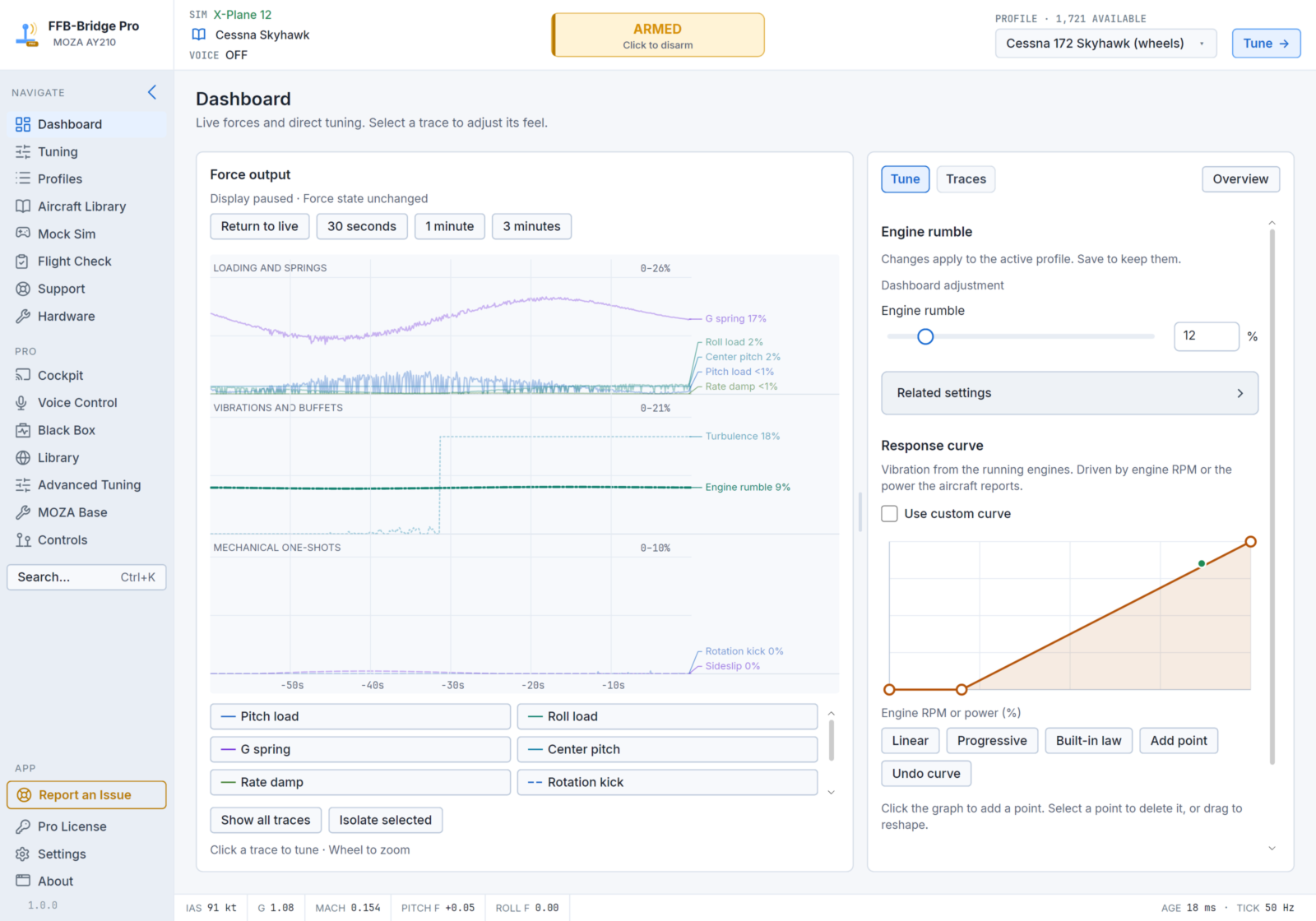
Until now, working on force feedback has always meant a settings window: land or pause, move a slider, fly again and see whether it feels better. Pro brings that work into the flight and around it:
- While you fly: change the feel by speaking, or from a tablet beside you.
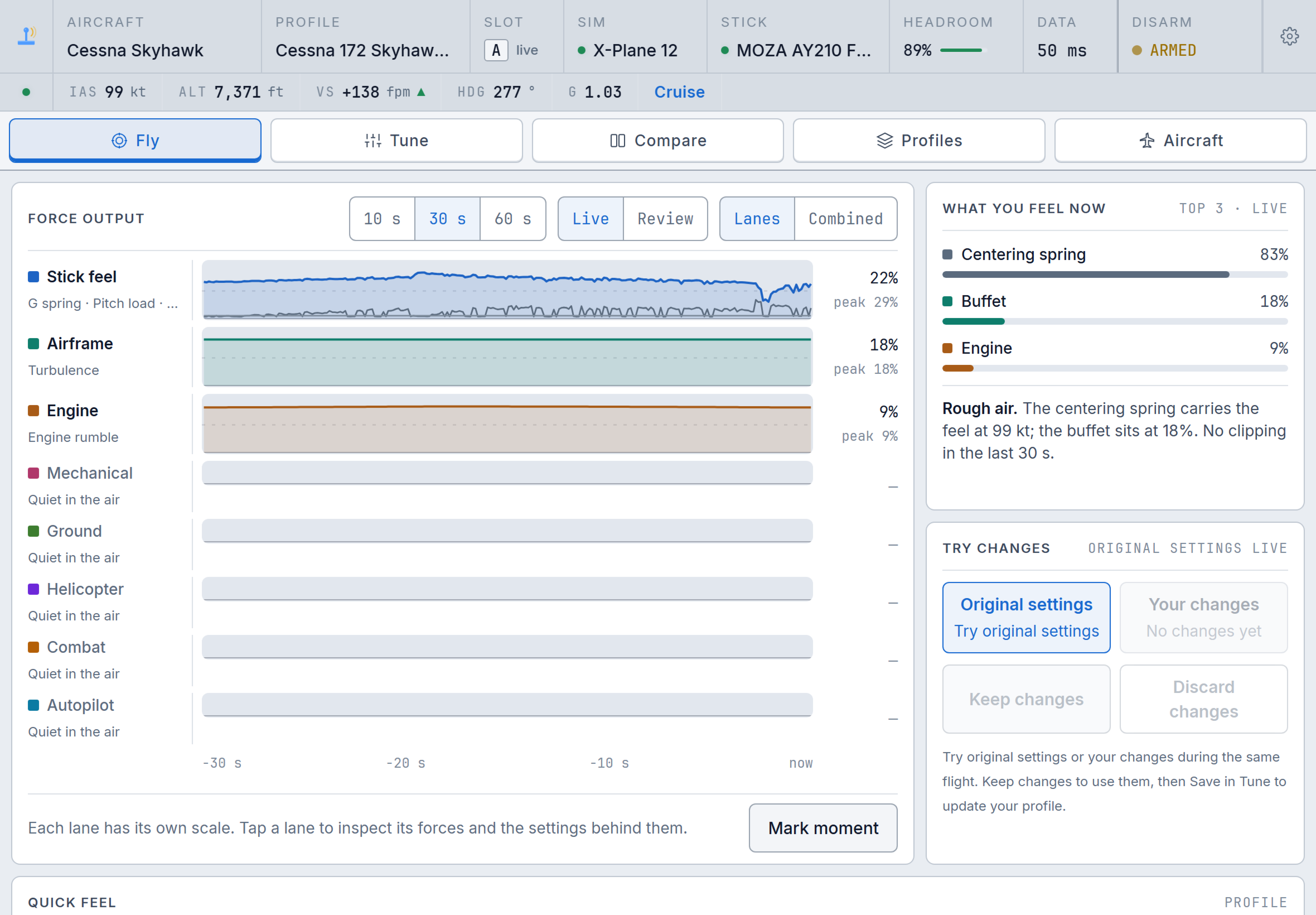
- After you land: go back to the exact seconds that felt wrong and play them back through your stick with a different setting.
- When you tune: give each effect its own curve and test it against a recorded flight before you keep it.
- When you set up: configure your MOZA base, and route your yoke and pedals to the simulator, from inside the app.
It works the same way in MSFS 2024 and X-Plane 12.
In your language
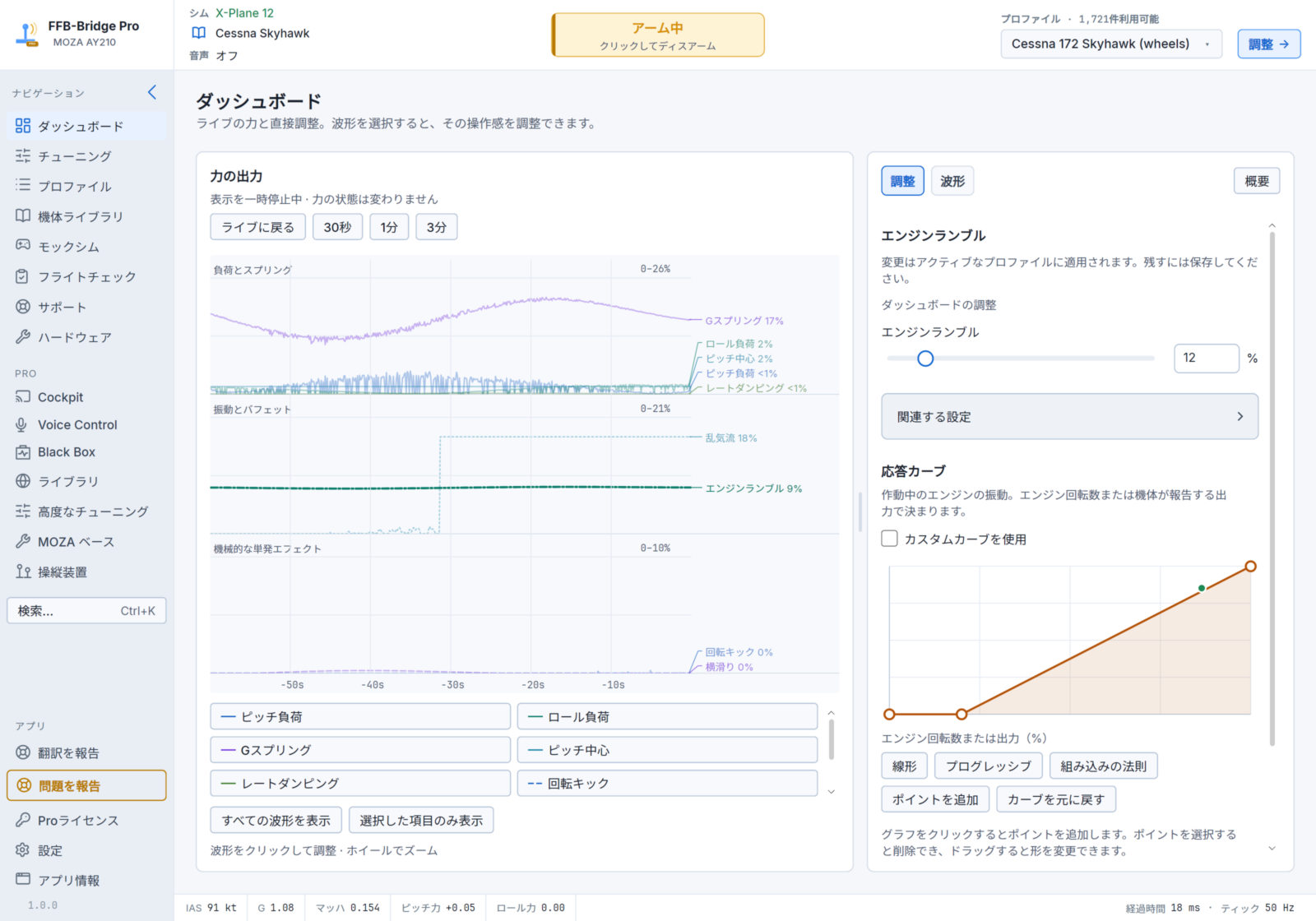
FFB-Bridge and FFB-Bridge Pro run in 16 languages: English, Deutsch, Español, Français, Français (Canada), Italiano, Nederlands, Polski, Português (Brasil), Русский, বাংলা, हिन्दी, 한국어, 日本語, 简体中文 and 繁體中文. The app starts in your system language, and you can switch at any time without a restart. The Windows installer, the website, the guides and both illustrated PDF manuals are available in the same 16 languages. If a translation reads wrong, Report translation (Ctrl+Shift+T) in the app sends a correction, with no account needed. Voice Control commands are in English.
What Pro adds
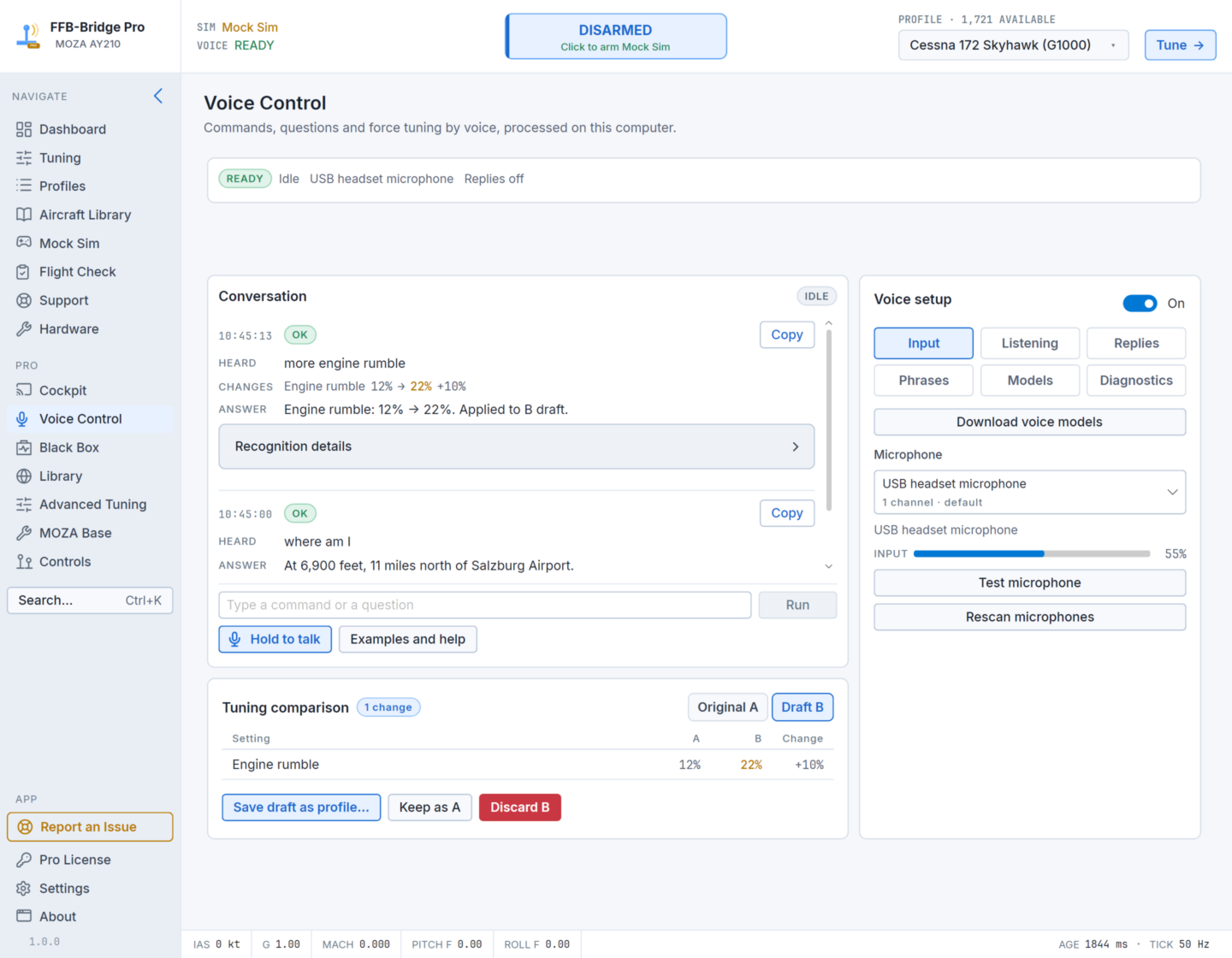
Voice Control. Say what you want changed, for example "less runway rumble", and the change goes into a draft you can undo. It understands more than 1,000 requests and answers flight and weather questions from the simulator. Recognition runs on your PC, with no cloud service and no GPU. It is most useful in VR or on a single monitor.
 Report image
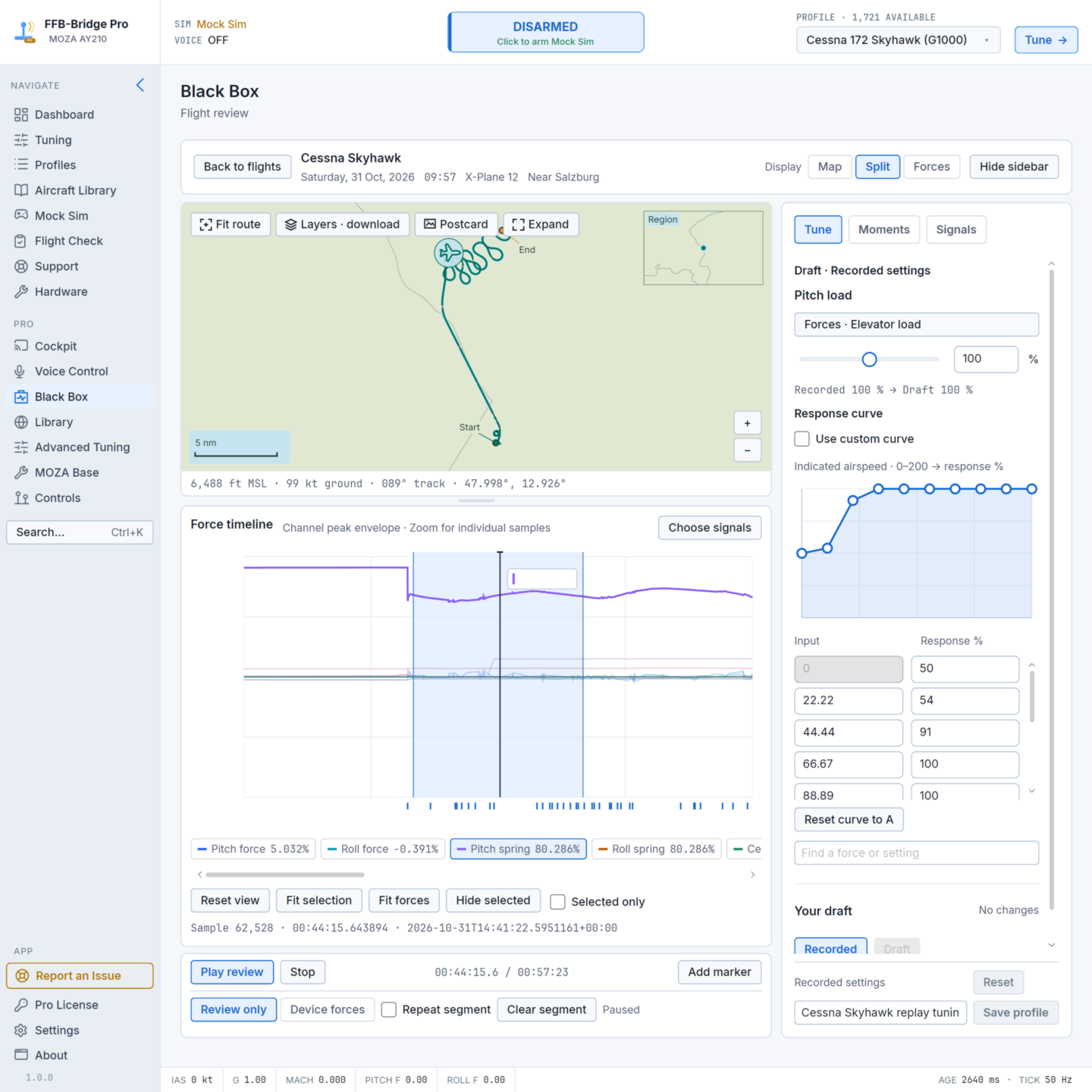
Black Box (flight recording and replay). Every flight is recorded on your computer, including the route, each force and the settings behind it. Select the seconds that felt wrong, change a setting, and play the same inputs back through your stick.
 Report image
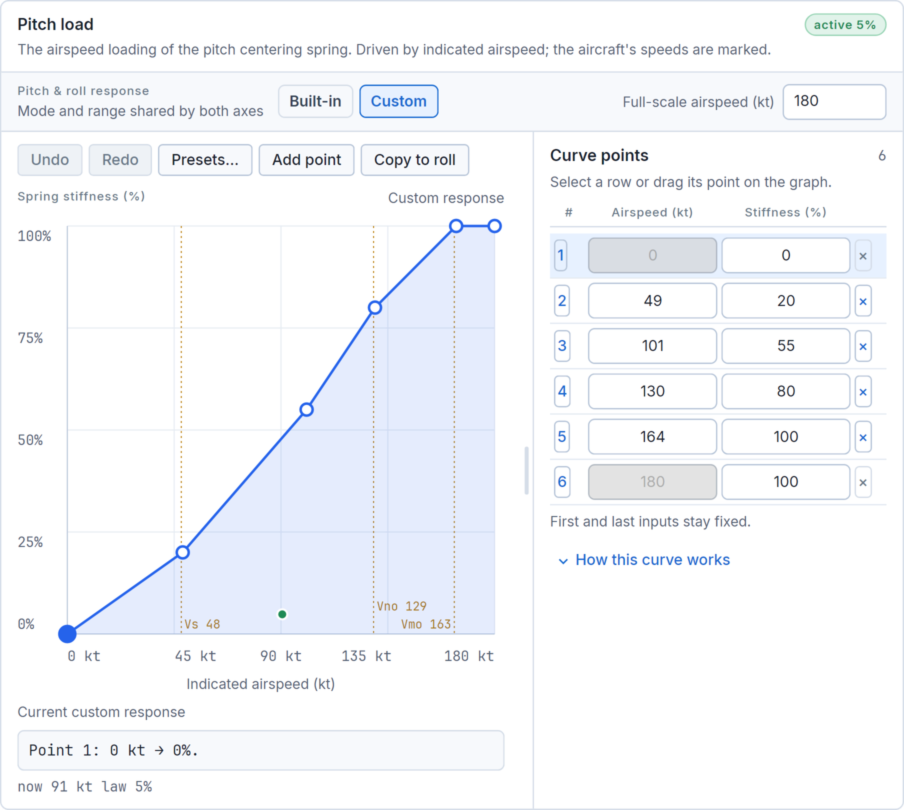
Advanced Tuning (curve editor). Every effect has its own response curve, with the aircraft's V-speeds marked. For example, you can make a stall buffet start earlier. You can test a curve against a recorded flight before you keep it.
 Report image
Cockpit Web. Scan a QR code with a tablet or phone to see live forces, make the feel lighter or firmer with one tap, and switch between two settings. There is nothing to install, and nothing leaves your network.
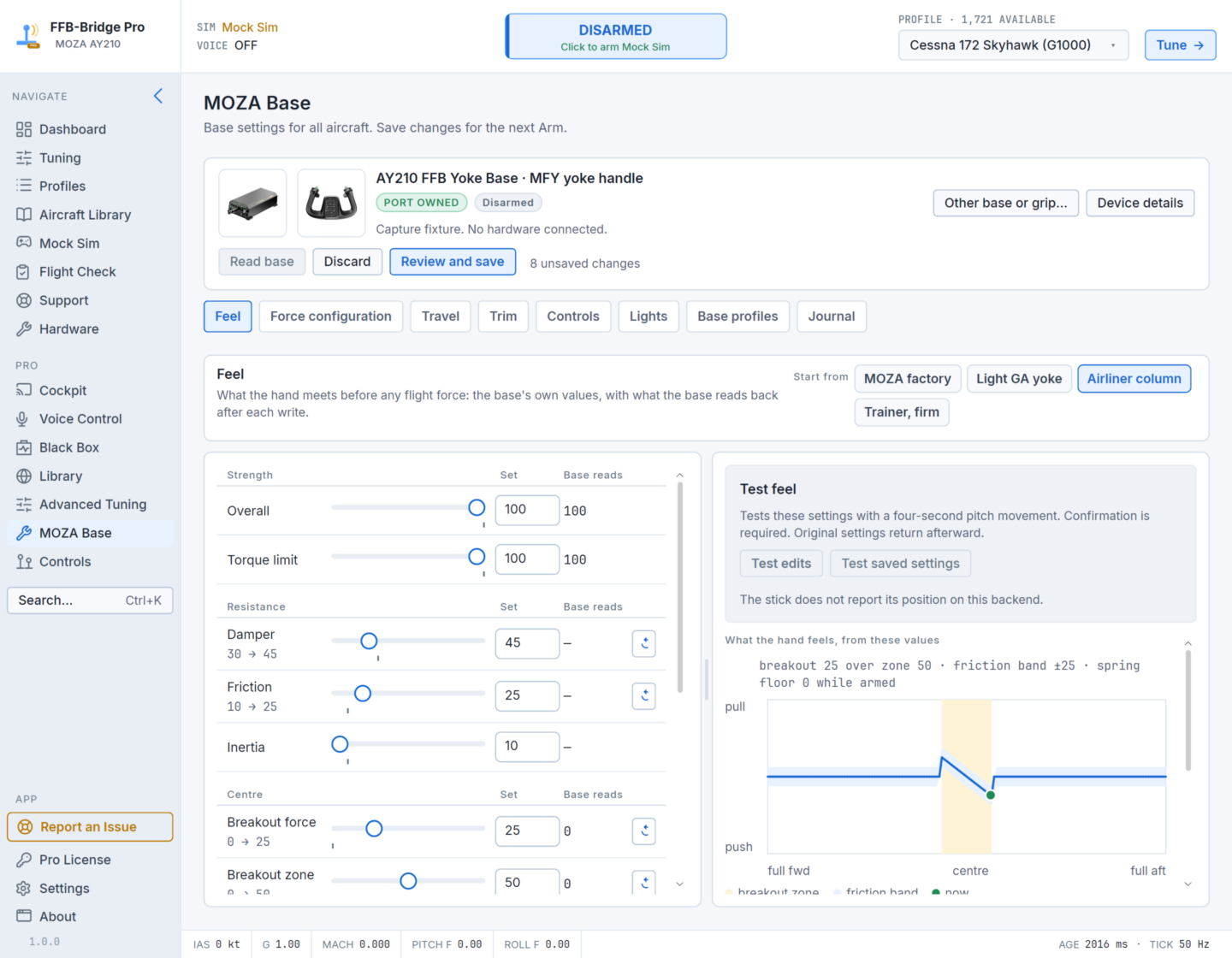
MOZA Base. Set strength, damper, friction, breakout, travel, direction, button assignments and handle lights on AB6, AB9, AY90 and AY210 bases from inside FFB-Bridge. Each value is read back from the base after it is written, and saved per aircraft. This works on Windows, macOS and Linux, so no separate utility is needed.
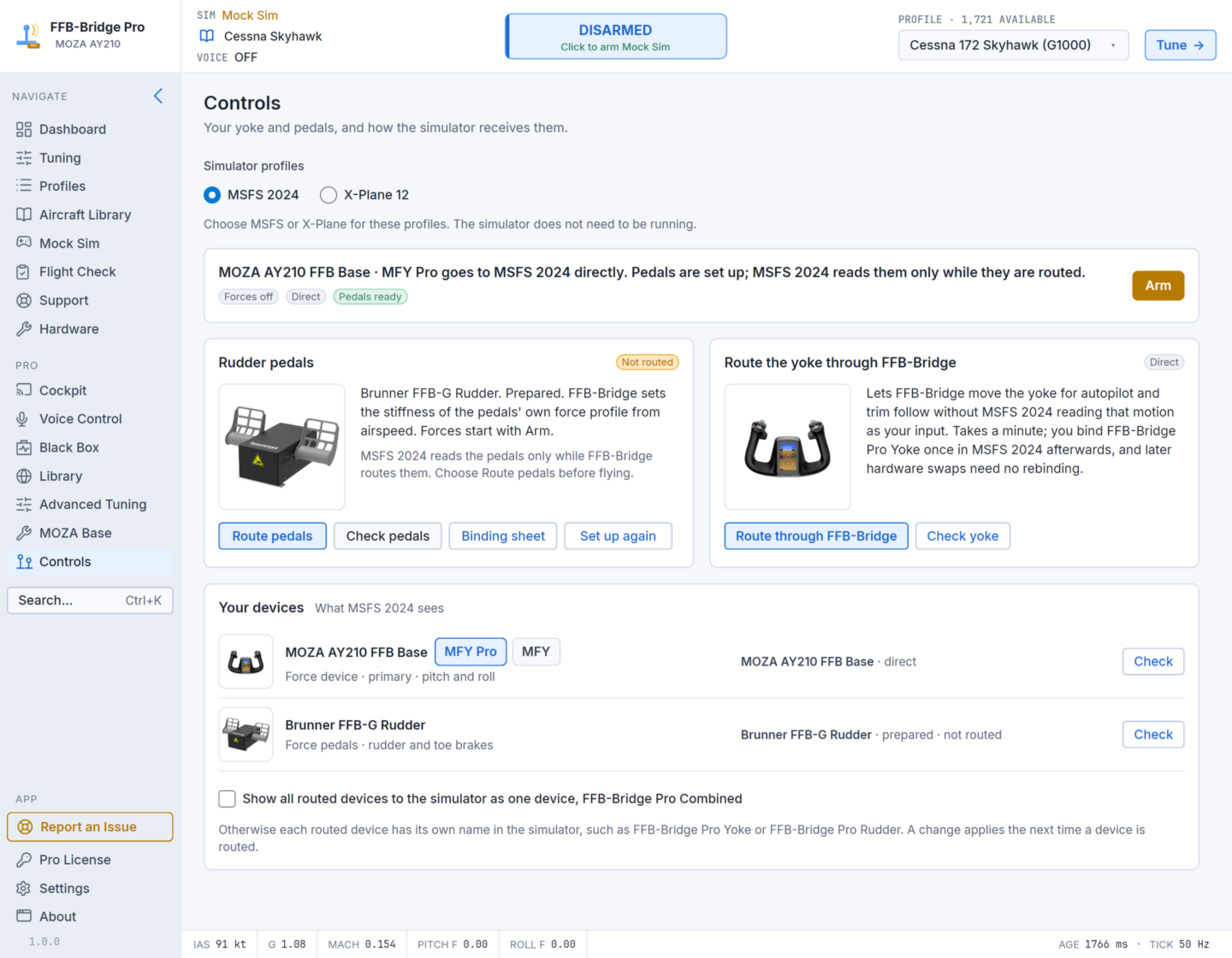
Control Routing. Route your yoke and pedals through FFB-Bridge so it can move the yoke for autopilot and trim without the simulator reading that as your input. You bind your controls once, in MSFS 2024 or X-Plane 12, from a numbered picture of your own hardware. The Windows installer includes the Microsoft-certified routing driver.
Screenshots of Cockpit Web, MOZA Base, Control Routing and the app in Japanese are in the next post.
Simulators and hardware
- Simulators: MSFS 2024 on Windows 11 and Linux (Proton). X-Plane 12 on Windows, Linux and Apple Silicon Macs.
- Bases and sticks: MOZA AB6, AB9, AY90 and AY210; Brunner FFB-G and FFB-H (Windows and Linux); Microsoft SideWinder Force Feedback 2; Logitech G940, Force 3D Pro and WingMan Force 3D. Most other force-feedback joysticks can be enabled experimentally, and support is constantly being added for new (and old) hardware.
Price
US$49.99, one time, plus sales tax or VAT where it applies. It covers up to three computers and all 1.x updates, with a 14-day refund window. The licence refreshes online at least every 45 days.
If you want to try force feedback on your hardware first, the free FFB-Bridge uses the same force model and aircraft profiles.
- Pro: https://ffb-bridge.com/pro
- Everything in Free and Pro: https://ffb-bridge.com/features
- Free download: https://ffb-bridge.com
Bug reports and support
Please send bug reports and support requests through the feedback form, or with Report an Issue inside the app, so logs and personal details stay private. Questions, impressions and feature ideas are welcome in the other community forums.
Thanks for all the support,
Aditya Rohsam Inc.