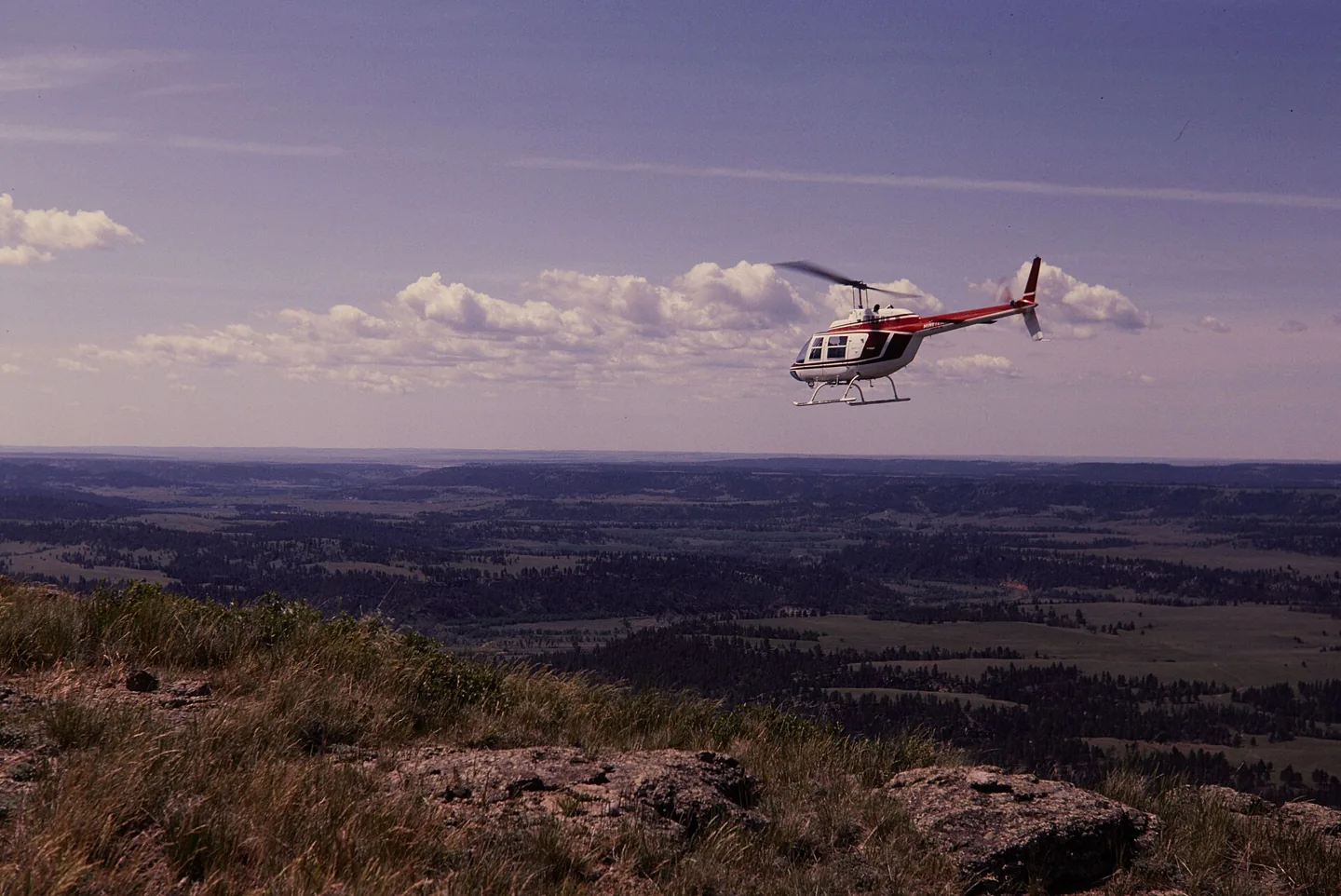
Bell 206 familyThomas C. Gray / National Park Service · Public domain · Bell 206 above Devils Tower National Monument

Bell 206 family

Hydraulically assisted cyclic controls with selected friction and trim behaviour, plus two-blade rotor cues.
HelicopterB06Liczba opcji profilu: 10

Poznaj maszynę

Bell reworked an unsuccessful military observation-helicopter proposal into the commercial JetRanger. The resulting 206 family became widely used for passenger transport, observation and utility work. The familiar single-engine versions use a two-bladed main rotor.

The 206B JetRanger and stretched 206L LongRanger are separate branches of that story. Their cabins, engines and equipment are not identical. Cowan documents each model's trim, autopilot and stability-assistance features separately.

Bell 206 JetRanger

Powerplant
Rolls-Royce 250-C20J, 420 shp↗
Seats
5↗
Max takeoff weight
3,200 lb (1,451 kg)↗
Main rotor diameter
33 ft 4 in (10.16 m)↗
Length overall
39 ft 8 in (12.09 m)↗
Never exceed (Vne)
122 KIAS↗
Cruise
≈110 kt↗
Service ceiling
13,500 ft↗
Range
≈374 nm↗
Usable fuel
91 US gal↗
Rotor system
Two-blade teetering, hydraulically boosted↗
First flight (206A)
1966↗

Więcej o tym statku powietrznym w AirframeDB

The expedition aircraft carried equipment beyond a normal cabin

Powerhouse records additional fuel capacity, navigation equipment, an autopilot and camera installations in VH-DIK. Its description also identifies survival equipment and later North Pole additions, showing why this individual expedition aircraft should not be treated as an ordinary passenger JetRanger.

Force trim has a mechanical basis

The 206B-3 manual describes magnetic brakes and force-gradient springs in the cyclic circuits, alongside adjustable control friction. This describes the documented trim equipment; a simulator profile must separately state whether local force trim is enabled.

A childhood airshow ride becomes a training goal

An eight-minute JetRanger ride at Farnborough when he was nine stayed with Berry for years. A later trial lesson renewed that enthusiasm, but adding the type to his licence meant a difficult choice about a limited training budget. He decided that learning the turbine helicopter was worth the additional commitment.

The course challenged the confidence he had built in the R22. Unfamiliar hydraulic controls, greater weight and a new cockpit made previously comfortable tasks demanding again. Berry especially valued instructor Paul White’s calm approach and emphasis on understanding the aircraft. His account is openly affectionate, including the pleasure of the turbine’s sound, but its strongest theme is the mental adjustment from feeling competent in one helicopter to becoming a learner in another.

A winter demonstration of the developing JetRanger

Middlebrook introduced the reporting team to a JetRanger II from Atlantic Aviation at Teterboro. The aircraft’s cabin helped explain its appeal beyond traditional utility work: entry was straightforward, the windows were generous and the reviewers found useful room in the occupied seats. The middle rear position was less accommodating, a detail retained alongside the favourable first impression.

Flying on a cool winter day, the team found quick control response that could encourage overcorrection at first. The approach also required adjustment to the helicopter’s ability to retain speed. They measured cabin noise and described the vibration rather than relying only on appearance. Their report preserves a contemporary introduction to the developing turbine transport, while distinguishing the conditions they experienced from comments other pilots supplied about turbulence.

Filming the world while flying around it alone

Smith’s journey required him to fly, navigate, communicate and record the view for a documentary. The museum’s account describes the exhaustion of the first Atlantic leg, after which he considered abandoning the attempt. Family reunions and periods of maintenance punctuated a trip completed in three stages, with substantial help from people arranging matters on the ground.

Crossing the North Pacific brought another unusual logistical task: finding a cargo ship able to provide a refuelling stop along the route. The successful return to Texas in July 1983 completed the circumnavigation. Smith continued using the helicopter for further adventures before flying it to the Powerhouse Museum in 1990. The donated aircraft and film preserve both the record and the personal work involved in making the journey visible to others.

Źródła publiczne 28
  1. Bell 206Research background · Wikipedia revision 1373277311 · retrieved 2026-09-12
  2. CowanSim 206B3 user manual · MSFS
  3. CowanSim 206L3 user manual · MSFS
  4. CowanSim manuals
  5. Microsoft Flight Simulator aircraft manuals
  6. SAS Autopilot Manual
  7. B206 releases and manual
  8. User Manual for Microsoft Flight Simulator
  9. SAS Manual
  10. User Manual
  11. X-Plane aircraft and avionics manuals
  12. 206B3 for MSFSOfficial developer / designated store catalogue · checked 2026-09-12
  13. 206L3 for MSFSOfficial developer / designated store catalogue · checked 2026-09-12
  14. 206B3 for X-PlaneOfficial developer / designated store catalogue · checked 2026-09-12
  15. 206L3 for X-PlaneOfficial developer / designated store catalogue · checked 2026-09-12
  16. B-206Official developer / designated store catalogue · checked 2026-09-12
  17. Tur-bine or not Tur-bine?James Berry · May 2021, personal type-rating account
  18. Pilot Report: Bell JetRanger IIUncredited May 1973 flight report, republished March 2018; demonstration by Tuck Middlebrook
  19. Dick Smith Australian Explorer, VH-DIKDick Smith’s journey documented by curator Margaret Simpson; object 90/816
  20. Forty years since the first solo helicopter circumnavigationManufacturer retrospective · 2023
  21. ICAO Doc 8643 — aircraft type designatorsPublic search data retrieved 2026-09-14; authority update 2026-09-03
  22. B206 catalogue sourceProduct listing captured 2026-09-24; edition scope from the reviewed catalogue
  23. Bell 206B-3 Flight ManualOriginal published Bell 206 reference; scope given beside each claim
  24. FAA TCDS H2SWŹródło drukowane lub archiwalne; brak publicznego odnośnika
  25. Bell published dataŹródło drukowane lub archiwalne; brak publicznego odnośnika
  26. Vertical Magazine — Bell-heritage pilot on force-trim techniqueOriginal published Bell 206 reference; scope given beside each claim
  27. FAA Helicopter Flying Handbook — ETL, transverse flow, VRSOriginal published Bell 206 reference; scope given beside each claim
  28. Greenspun — Bell 505 (206L4 rotor) vibration notesOriginal published Bell 206 reference; scope given beside each claim

Jak odwzorowuje to profil

Bell 206B3 JetRanger

Free + Pro
MSFS 2020MSFS 2024X-Plane 11X-Plane 12

Bell reworked an unsuccessful military observation-helicopter proposal into the commercial JetRanger. The resulting 206 family became widely used for passenger transport, observation and utility work. The familiar single-engine versions use a two-bladed main rotor.

This starting point selects Bell 206B3 JetRanger. Its aircraft-level settings do not select a particular developer’s custom systems.

Spring resistance builds with the selected airspeed response. A separate aerodynamic term adds speed-dependent control load.

Local force trim holds the selected hardware centre. Autopilot following is off.

Cyclic damping is on. Its configured gain is 0.35; it resists hardware motion separately from the spring and aircraft stabilization.

Controls and trim

The Bell 206B-3 flight manual describes adjustable cyclic and collective friction, together with magnetic brakes and force-gradient springs in its cyclic force-trim system. CowanSim's 206B3 and longer-cabin 206L3 have separate manuals and optional HeliSAS procedures. FlyInside and DreamFoil implement different dynamics and stability options. A software trim-release command, sound or stability setting does not provide a continuous physical cyclic-neutral position.

CowanSim 206B3 user manual — MSFSCowanSim HeloSAS autopilot manualCowanSim 206B3 user manual — X-PlaneCowanSim 206L3 user manual — MSFSFlyInside B206 user manual — MSFSBell 206B-3 Flight Manual

About the values

The gains are normalized profile settings. They describe the chosen effect balance; hand force depends on the device and its output limits. IAS references are tuning values rather than operating limits. Physical acceptance of this revision remains pending.

Wzmocnienie główne i układ sterowania

Master gain85%

Końcowy, ogólny mnożnik wyjścia stosowany do wszystkiego, co wytwarza model, przed ograniczeniem urządzenia.

Więcej: wszystko (sprężyna, obciążenia, efekty) staje się silniejsze jednocześnie.

Mniej: wszystko jednocześnie łagodnieje.

Dlaczego tutaj: Scales overall profile strength while preserving effect balance, subject to device and output limits.

Siły

Spring strength0%

Podstawowa siła centrująca, która ściąga drążek z powrotem do środka. Wszystkie inne siły nakładają się na nią. Zbyt niska, a drążek w normalnym locie jest wiotki; zbyt wysoka, a walczy z twoją ręką i zagłusza drobniejsze efekty nałożone na nią.

Więcej: mocniejsze centrowanie, które przez cały czas stawia opór twojej ręce.

Mniej: bardziej wiotki drążek, który opiera się wyłącznie na obciążeniu aerodynamicznym.

Dlaczego tutaj: Magnetic brakes and force-gradient springs provide mechanism context for cyclic centering; longer cabin or rotor audio does not establish a heavier cyclic. The baseline spring is 0. Its low-speed blend reaches baseline strength at 52.5 KIAS.

CowanSim 206B3 user manual — MSFSCowanSim HeloSAS autopilot manualCowanSim 206B3 user manual — X-PlaneCowanSim 206L3 user manual — MSFSFlyInside B206 user manual — MSFSBell 206B-3 Flight Manual
Spring deadband2%

Niewielka neutralna strefa wokół środka, w której sprężyna pozostaje nieaktywna, dzięki czemu drobne ruchy w spoczynku nie wywołują trzepotania. Szersza strefa jest spokojniejsza, ale luźniejsza; węższa jest precyzyjniejsza, ale drążek może podrygiwać wokół środka.

Więcej: spokojniejszy, lecz swobodniejszy środek z większym luzem.

Mniej: bardziej zwarty środek, który w spoczynku może trzepotać.

Dlaczego tutaj: Sets travel around the centre before the baseline spring resists. Smaller values engage it sooner.

Overall aerodynamic load35%

Nadrzędny mnożnik dla obu utrzymujących się obciążeń osi, stosowany przed ich niezależnym wyważeniem. Profile zwykle zostawiają go bez zmian i zamiast tego dostrajają oba obciążenia osi.

Więcej: obie osie są mocniej obciążone.

Mniej: obie osie jednocześnie stają się lżejsze.

Dlaczego tutaj: The aerodynamic-load gain is 0.35 with an indicated-speed reference of 105 KIAS. This supplies speed-dependent loading alongside the spring.

Airspeed blendingTrue

Włącza okno stopniowego włączania sprężyny przy małej prędkości (węzły początku i pełnej siły powyżej). Po wyłączeniu sprężyna jest stała przy każdej prędkości.

Dlaczego tutaj: Allows baseline spring strength to rise with indicated airspeed where the control law permits it.

Low-speed spring floor100%

Jaka część sprężyny pozostaje na postoju, zanim prędkość zdąży wytworzyć jakąkolwiek siłę aerodynamiczną. Przy wysokiej dolnej granicy drążek na postoju pozostaje sztywny; przy niskiej jest luźny, z luzem linek jak w zaparkowanym lekkim statku powietrznym.

Więcej: sztywniejszy drążek na postoju i podczas kołowania.

Mniej: luźniejszy drążek na postoju, który ożywa dopiero wraz z prędkością.

Dlaczego tutaj: Sets low-speed spring strength as a fraction of baseline when blending is enabled. One keeps full strength.

Spring engagement start14.7 kt

Prędkość, przy której sprężyna zaczyna rosnąć od dolnej granicy dla małej prędkości w stronę pełnej siły: stery „ożywają” podczas rozbiegu.

Dlaczego tutaj: Sets the IAS where the low-speed spring blend starts rising. This is a feel threshold, not a flight limit.

Spring engagement full52.5 kt

Prędkość, przy której sprężyna osiąga pełną siłę. Między punktem początkowym a tym punktem centrowanie stopniowo sztywnieje w miarę narastania opływu powietrza wokół sterów.

Dlaczego tutaj: Sets the IAS where the low-speed blend reaches baseline strength; high-speed stiffening also uses it.

Prędkość dostrajania siły105

Prędkość przyrządowa, przy której obciążenie aerodynamiczne osiąga zakładany pełny poziom. Zakotwicza całą krzywą obciążenia w rzeczywistym zakresie prędkości statku powietrznego: 172 nabiera pełnego obciążenia do 110 węzłów, odrzutowiec znacznie później.

Więcej: obciążenia pojawiają się później; drążek pozostaje lekki do wyższej prędkości.

Mniej: obciążenia pojawiają się wcześniej, a przelot wydaje się cięższy.

Dlaczego tutaj: Sets the IAS reference for aerodynamic loading. It is an estimate, not published cruise TAS or a flight limit.

Centre firmness vs speed0%

Jak bardzo samo centrowanie sztywnieje wraz z prędkością, oprócz obciążeń od wychylenia. Zero utrzymuje stałe czucie środka; więcej sprawia, że drążek centruje się mocniej w przelocie i luźniej w kręgu nadlotniskowym.

Więcej: środek, który wyraźnie twardnieje wraz ze wzrostem prędkości.

Mniej: stałe czucie środka przy każdej prędkości.

Dlaczego tutaj: Adds permitted spring resistance above the full-blend speed. Zero removes this high-speed increase.

Centre stiffening cap5

Górna granica zależnego od prędkości sztywnienia środka, aby bardzo szybki lot nie mógł napinać sprężyny bez ograniczeń.

Więcej: większe łączne usztywnienie dopuszczalne przy dużej prędkości.

Mniej: usztywnianie zostaje wcześniej ograniczone.

Dlaczego tutaj: Limits the squared airspeed ratio used for high-speed spring stiffening; it is not a device-force cap.

Aileron load100%

Utrzymujące się obciążenie przechylenia wynikające z wychylenia lotek i prędkości, wyważane niezależnie od pochylenia. Razem z obciążeniem steru wysokości wyznacza proporcję harmonii sterów, o której piszą recenzenci.

Więcej: większe siły przechylenia.

Mniej: lżejsze lotki, które wydają się szybsze.

Dlaczego tutaj: Roll and pitch aerodynamic scales are 1 and 1, respectively. They set the aerodynamic axis balance. No custom spring-travel curve is enabled.

Elevator load100%

Utrzymujące się obciążenie pochylenia wynikające z wychylenia steru wysokości i prędkości, wyważane niezależnie od przechylenia. To główny parametr decydujący o ciężarze pochylenia danego typu. Nie wpływa na siły lotek, sprężyny, trymera ani drgań.

Więcej: większe utrzymujące się siły pochylenia w locie.

Mniej: lżejszy ster wysokości, którego utrzymanie wymaga mniej siły mięśni.

Dlaczego tutaj: Scales pitch aerodynamic loading; pitch spring travel and trim responses are separate settings.

Max output force55%

Ograniczenie każdej ustalonej siły pochylenia lub przechylenia, zanim dotrze do urządzenia; chroni sprzęt przed gwałtownymi uderzeniami lub nasyceniem podczas mocnych manewrów.

Więcej: silniejsze szczytowe siły ustalone przed obcięciem.

Mniej: łagodniejszy limit; przy ostrych manewrach siły wcześniej się wypłaszczają.

Dlaczego tutaj: Caps directed-force output. Native spring effects and device limits remain separate.

Trymer

Trim relief (elevator)30%

Jak mocno trymer steru wysokości odciąża utrzymywaną siłę pochylenia i przesuwa punkt, w którym drążek się ustala. Przy 100% poprawnie wytrymowany statek powietrzny nie wymaga utrzymywania nacisku — tak jak w prawdziwym lataniu, gdzie obciążenie usuwa się trymerem.

Więcej: trymer usuwa większą część utrzymywanej siły pochylenia; przy 100% pełne wytrymowanie całkowicie ją znosi.

Mniej: nawet po wytrymowaniu nadal musisz utrzymywać siłę.

Dlaczego tutaj: Scales supported pitch-trim relief and permitted centre movement. Zero removes pitch response.

Trim relief (aileron)30%

To samo odciążenie dla trymera przechylenia. Większość typów lotnictwa ogólnego nie ma prawdziwego trymera lotek, więc wartość pozostaje zerowa; typy z trymerem przechylenia otrzymują odpowiednią wartość.

Więcej: trymer przechylenia usuwa więcej utrzymywanej siły przechylenia.

Mniej: trymer przechylenia działa słabiej.

Dlaczego tutaj: Scales supported roll-trim relief and permitted centre movement. Zero removes roll response.

Wzmocnienia efektów · Podłoże

Runway rumble0%

Wibracje toczenia zależne od prędkości kół i rodzaju nawierzchni: asfalt, trawa lub żwir pod podwoziem.

Więcej: wyraźniejsza faktura nawierzchni wyczuwalna w drążku.

Mniej: płynniejsze kołowanie.

Dlaczego tutaj: Sets rolling texture strength, modified by speed, surface and undercarriage configuration.

Gear bumps0%

Krótkie, pojedyncze wstrząsy od szczelin dylatacyjnych, kolein i nierównej nawierzchni, przerywające ciągłe wibracje.

Więcej: ostrzejsze uderzenia od szczelin i kolein.

Mniej: łagodniejsze szczegóły nawierzchni.

Dlaczego tutaj: Sets gear-bump texture during ground motion, separate from touchdown impact.

Wzmocnienia efektów · Płatowiec

Stall buffet0%

Drgania płatowca przy zbliżaniu się do przeciągnięcia i gdy aktywne jest ostrzeżenie o przeciągnięciu: jak głośno to skrzydło sygnalizuje, że coś mu nie odpowiada. Typy z wyraźnym, ostrym przeciągnięciem dostają umiarkowane drgania, a ostrzeżenie przekazuje sygnalizator dźwiękowy.

Więcej: wyraźniejsze drgania przy zbliżaniu się do przeciągnięcia.

Mniej: spokojniejsze skrzydło; ostrzeżenie przekazuje sygnalizator dźwiękowy.

Dlaczego tutaj: Sets stall-buffet strength. Zero removes the cue without changing simulator stalls or warnings.

Mach buffet0%

Drgania transoniczne przy zbliżaniu się do ograniczenia liczby Macha. Istotne dla odrzutowców w pobliżu MMO, zero dla samolotów tłokowych i turbośmigłowych, które nigdy tam nie docierają.

Więcej: silniejsze drgania transoniczne w pobliżu ograniczenia liczby Macha.

Mniej: spokojniejszy lot przy dużej liczbie Macha.

Dlaczego tutaj: Sets high-Mach buffet strength; onset and full-strength thresholds are separate.

Flap buffet0%

Niskoczęstotliwościowe wibracje płatowca przy klapach wypuszczonych w strumień powietrza, w zakresie prędkości, w którym faktycznie pracują w opływie.

Więcej: mniej spokojny lot przy klapach pracujących w opływie.

Mniej: spokojniejsze klapy w podejściu.

Dlaczego tutaj: Sets flap buffet at the configured position and speed gates. Flap movement texture is separate.

Gear buffet0%

Dudnienie płatowca od chowanego podwozia wypuszczonego w strumień powietrza. Zero dla typów z podwoziem stałym, w których kształt płatowca nigdy się nie zmienia.

Więcej: więcej dudnienia przy wypuszczonych kołach.

Mniej: czystszy lot z wypuszczonym podwoziem.

Dlaczego tutaj: Sets gear aerodynamic buffet; movement and ground-contact cues are separate.

Stick shaker50%

Osobne wibracje układu stick shaker ostrzegające o przeciągnięciu, wyzwalane przez własny system ostrzegania o przeciągnięciu statku powietrznego. Wartość otrzymują tylko typy z prawdziwym układem stick shaker; wszystkie pozostałe polegają na drganiach aerodynamicznych i sygnalizatorze dźwiękowym.

Więcej: mocniejsze wibracje układu stick shaker.

Mniej: subtelniejszy stick shaker.

Dlaczego tutaj: Sets triggered shaker strength; inactive while the shaker feature is disabled.

Wzmocnienia efektów · Silnik, mechanika i opór

Touchdown thump50%

Jednorazowe szarpnięcie w chwili zetknięcia kół z pasem startowym, skalowane prędkością opadania: miękkie przyziemienie ledwie szepcze, twarde wyraźnie uderza.

Więcej: mocniejsze szarpnięcie przy przyziemieniu.

Mniej: łagodniejsze przyziemienia.

Dlaczego tutaj: Sets landing-impact strength; landing telemetry and response shape determine the pulse.

Reverse rumble0%

Wibracje podczas dobiegu, gdy pracuje ciąg wsteczny lub śmigła w zakresie beta. Zero dla typów bez ciągu wstecznego.

Więcej: bardziej niespokojny dobieg przy ciągu wstecznym.

Mniej: cichszy ciąg wsteczny.

Dlaczego tutaj: Sets reverse-thrust vibration with valid reverser and engine conditions. Zero removes the cue.

Engine rumble6%

Ciągłe wibracje zespołu napędowego zależne od obrotów, od biegu jałowego do pełnej mocy — stale obecne przypomnienie, że z przodu coś spala paliwo.

Więcej: silnik bardziej wyczuwalny w drążku.

Mniej: cichszy zespół napędowy.

Dlaczego tutaj: Sets estimated engine vibration using configured telemetry and response, not measured cockpit vibration.

Flap motion0%

Ciągłe wibracje tylko wtedy, gdy symulator zgłasza, że klapy faktycznie się przemieszczają. Efekt odwzorowuje rzeczywisty ruch siłowników i ich awarie, a nie szacowany licznik czasu.

Więcej: więcej wibracji podczas ruchu klap.

Mniej: cichsze przestawianie klap.

Dlaczego tutaj: Sets texture from observed flap movement; a command without movement does not establish the cue.

Podążanie za autopilotem

AP follow authority5%

Jak daleko polecenia autopilota mogą fizycznie przesunąć drążek. W MSFS utrzymywane na minimalnym poziomie, bo przesunięta oś może zostać odczytana jako działanie pilota; zero całkowicie wyłącza podążanie.

Więcej: autopilot widocznie wychyla twój drążek dalej.

Mniej: ledwo wyczuwalne podążanie.

Dlaczego tutaj: Sets admitted AP-follow gain, not a percentage of travel. Runtime ownership and input limits still apply.

Stick feel

StickFeel · Trim feel enabledFalse

Whether this feature is active in this profile.

Dlaczego tutaj: Retained for compatibility and group membership. Trim relief, rather than this flag, controls centre movement.

StickFeel · Trim relief enabledFalse

Whether this feature is active in this profile.

Dlaczego tutaj: Allows trim relief with supported control law and valid telemetry. Axis authorities set its amount.

StickFeel · Force trim enabledTrue

Whether this feature is active in this profile.

Dlaczego tutaj: An enabled local latch approximates holding a hardware neutral. CowanSim's SAS-dependent software trim and the aircraft's magnetic-brake system remain separate scope. Local force trim is on. It holds a selected spring centre with strength 0.55.

CowanSim 206B3 user manual — MSFSCowanSim HeloSAS autopilot manualCowanSim 206B3 user manual — X-PlaneCowanSim 206L3 user manual — MSFSFlyInside B206 user manual — MSFSBell 206B-3 Flight Manual
StickFeel · G load enabledFalse

Whether this feature is active in this profile.

Dlaczego tutaj: Allows load-factor changes to modify permitted spring laws. Passive fly-by-wire feel can suppress it.

StickFeel · Rate damping enabledTrue

Whether this feature is active in this profile.

Dlaczego tutaj: Enables rate damping with the configured coefficients and control law.

Autopilot

Autopilot · Follow enabledFalse

Whether this feature is active in this profile.

Dlaczego tutaj: Autopilot following is off; the configured spring and load retain the hardware feel.

Autopilot · Neutral hold enabledFalse

Whether this feature is active in this profile.

Dlaczego tutaj: Permits centering hold during a supported AP state, separate from following a moving target.

Autopilot · Neutral hold strength0.6

Dlaczego tutaj: Sets admitted AP neutral-hold strength; inactive while neutral hold is disabled.

Aero

Aero · EnabledTrue

Whether this feature is active in this profile.

Dlaczego tutaj: Enables aerodynamic cues; each still needs nonzero strength and its simulator conditions.

Aero · Max flap index1

Where this effect reaches full strength (or has fully faded, for washouts).

Więcej: a more gradual build to a later peak.

Mniej: a quicker build.

Dlaczego tutaj: Sets the final flap index for detent normalization. UP plus three detents uses maximum index3.

Aero · Min flap index1

Where this effect begins fading in.

Więcej: the effect begins later.

Mniej: it begins earlier.

Dlaczego tutaj: Sets the first flap detent that admits buffet; this is a handle index, not degrees.

Aero · Shaker enabledFalse

Whether this feature is active in this profile.

Dlaczego tutaj: Permits shaker at supported warning conditions; the switch does not establish aircraft equipment.

Ground

Ground · EnabledTrue

Whether this feature is active in this profile.

Dlaczego tutaj: Enables ground effects; each still needs its own strength and contact or motion telemetry.

Engine

Engine · EnabledTrue

Whether this feature is active in this profile.

Dlaczego tutaj: Enables engine cues with nonzero settings and valid running-engine telemetry.

Mechanical

Mechanical · EnabledTrue

Whether this feature is active in this profile.

Dlaczego tutaj: Enables accessory cues with configured strengths and observed accessory movement.

Mechanical · Gain0

The strength of this effect.

Więcej: a stronger effect.

Mniej: a weaker one.

Dlaczego tutaj: Sets texture from observed gear movement, separate from aerodynamic and touchdown effects.

Wszystkie ustawienia profilu
Szacowane ustawienia profilu
ParametrWartośćCo reguluje i dlaczego
Spring strength0 Magnetic brakes and force-gradient springs provide mechanism context for cyclic centering; longer cabin or rotor audio does not establish a heavier cyclic. The baseline spring is 0. Its low-speed blend reaches baseline strength at 52.5 KIAS.
Spring deadband0.02 Sets travel around the centre before the baseline spring resists. Smaller values engage it sooner.
Force gain0.35 The aerodynamic-load gain is 0.35 with an indicated-speed reference of 105 KIAS. This supplies speed-dependent loading alongside the spring.
Master gain0.85 Scales overall profile strength while preserving effect balance, subject to device and output limits.
Dynamic-pressure blendTrue Allows baseline spring strength to rise with indicated airspeed where the control law permits it.
Minimum spring factor1 Sets low-speed spring strength as a fraction of baseline when blending is enabled. One keeps full strength.
Spring wake-up speed14.7 ktSets the IAS where the low-speed spring blend starts rising. This is a feel threshold, not a flight limit.
Spring full-strength speed52.5 ktSets the IAS where the low-speed blend reaches baseline strength; high-speed stiffening also uses it.
Prędkość dostrajania siły105.0 ktSets the IAS reference for aerodynamic loading. It is an estimate, not published cruise TAS or a flight limit.
Airspeed spring stiffening0 Adds permitted spring resistance above the full-blend speed. Zero removes this high-speed increase.
Airspeed stiffening cap5 Limits the squared airspeed ratio used for high-speed spring stiffening; it is not a device-force cap.
Aileron force scale1 Roll and pitch aerodynamic scales are 1 and 1, respectively. They set the aerodynamic axis balance. No custom spring-travel curve is enabled.
Elevator force scale1 Scales pitch aerodynamic loading; pitch spring travel and trim responses are separate settings.
Maximum output force0.55 Caps directed-force output. Native spring effects and device limits remain separate.
StickFeel · Trim feel enabledFalse Retained for compatibility and group membership. Trim relief, rather than this flag, controls centre movement.
StickFeel · Trim relief enabledFalse Allows trim relief with supported control law and valid telemetry. Axis authorities set its amount.
StickFeel · Elevator authority0.3 Scales supported pitch-trim relief and permitted centre movement. Zero removes pitch response.
StickFeel · Aileron authority0.3 Scales supported roll-trim relief and permitted centre movement. Zero removes roll response.
StickFeel · Force trim enabledTrue An enabled local latch approximates holding a hardware neutral. CowanSim's SAS-dependent software trim and the aircraft's magnetic-brake system remain separate scope. Local force trim is on. It holds a selected spring centre with strength 0.55.
StickFeel · G load enabledFalse Allows load-factor changes to modify permitted spring laws. Passive fly-by-wire feel can suppress it.
StickFeel · Rate damping enabledTrue Enables rate damping with the configured coefficients and control law.
Autopilot · Follow enabledFalse Autopilot following is off; the configured spring and load retain the hardware feel.
Autopilot · Follow authority0.05 Sets admitted AP-follow gain, not a percentage of travel. Runtime ownership and input limits still apply.
Autopilot · Neutral hold enabledFalse Permits centering hold during a supported AP state, separate from following a moving target.
Autopilot · Neutral hold strength0.6 Sets admitted AP neutral-hold strength; inactive while neutral hold is disabled.
Aero · EnabledTrue Enables aerodynamic cues; each still needs nonzero strength and its simulator conditions.
Aero · Gain0 Sets stall-buffet strength. Zero removes the cue without changing simulator stalls or warnings.
Aero · Gain0 Sets high-Mach buffet strength; onset and full-strength thresholds are separate.
Aero · Gain0 Sets flap buffet at the configured position and speed gates. Flap movement texture is separate.
Aero · Max flap index1 Sets the final flap index for detent normalization. UP plus three detents uses maximum index3.
Aero · Min flap index1 Sets the first flap detent that admits buffet; this is a handle index, not degrees.
Aero · Gain0 Sets gear aerodynamic buffet; movement and ground-contact cues are separate.
Aero · Shaker enabledFalse Permits shaker at supported warning conditions; the switch does not establish aircraft equipment.
Aero · Amplitude0.5 Sets triggered shaker strength; inactive while the shaker feature is disabled.
Ground · EnabledTrue Enables ground effects; each still needs its own strength and contact or motion telemetry.
Ground · Gain0 Sets rolling texture strength, modified by speed, surface and undercarriage configuration.
Ground · Gain0 Sets gear-bump texture during ground motion, separate from touchdown impact.
Ground · Gain0.5 Sets landing-impact strength; landing telemetry and response shape determine the pulse.
Ground · Gain0 Sets reverse-thrust vibration with valid reverser and engine conditions. Zero removes the cue.
Engine · EnabledTrue Enables engine cues with nonzero settings and valid running-engine telemetry.
Engine · Gain0.06 Sets estimated engine vibration using configured telemetry and response, not measured cockpit vibration.
Mechanical · EnabledTrue Enables accessory cues with configured strengths and observed accessory movement.
Mechanical · Gain0 Sets texture from observed flap movement; a command without movement does not establish the cue.
Mechanical · Gain0 Sets texture from observed gear movement, separate from aerodynamic and touchdown effects.
Źródła publiczne 28
  1. Bell 206Research background · Wikipedia revision 1373277311 · retrieved 2026-09-12
  2. CowanSim 206B3 user manual — MSFSExact MSFS aircraft hardware/control manual
  3. CowanSim HeloSAS autopilot manualCowan HeloSAS manual pp.2/5
  4. CowanSim 206B3 user manual — X-PlaneExact XP12 manual, title/configuration and trim sections
  5. CowanSim 206L3 user manual — MSFSExact MSFS aircraft hardware/control manual
  6. FlyInside B206 user manual — MSFSFlight control/model options and startup chapters
  7. Bell 206B-3 Flight ManualBell 206 familyOriginal published Bell 206 reference; scope given beside each claim
  8. CowanSim manuals
  9. Microsoft Flight Simulator aircraft manuals
  10. B206 releases and manual
  11. SAS Manual
  12. X-Plane aircraft and avionics manuals
  13. 206B3 for MSFSOfficial developer / designated store catalogue · checked 2026-09-12
  14. 206L3 for MSFSOfficial developer / designated store catalogue · checked 2026-09-12
  15. 206B3 for X-PlaneOfficial developer / designated store catalogue · checked 2026-09-12
  16. 206L3 for X-PlaneOfficial developer / designated store catalogue · checked 2026-09-12
  17. B-206Official developer / designated store catalogue · checked 2026-09-12
  18. Tur-bine or not Tur-bine?James Berry · May 2021, personal type-rating account
  19. Pilot Report: Bell JetRanger IIUncredited May 1973 flight report, republished March 2018; demonstration by Tuck Middlebrook
  20. Dick Smith Australian Explorer, VH-DIKDick Smith’s journey documented by curator Margaret Simpson; object 90/816
  21. Forty years since the first solo helicopter circumnavigationManufacturer retrospective · 2023
  22. ICAO Doc 8643 — aircraft type designatorsPublic search data retrieved 2026-09-14; authority update 2026-09-03
  23. B206 catalogue sourceProduct listing captured 2026-09-24; edition scope from the reviewed catalogue
  24. FAA TCDS H2SWŹródło drukowane lub archiwalne; brak publicznego odnośnika
  25. Bell published dataŹródło drukowane lub archiwalne; brak publicznego odnośnika
  26. Vertical Magazine — Bell-heritage pilot on force-trim techniqueOriginal published Bell 206 reference; scope given beside each claim
  27. FAA Helicopter Flying Handbook — ETL, transverse flow, VRSOriginal published Bell 206 reference; scope given beside each claim
  28. Greenspun — Bell 505 (206L4 rotor) vibration notesOriginal published Bell 206 reference; scope given beside each claim

Społeczność i poprawki

Jeśli twój nalot na tym typie wskazuje, że na tej stronie jest błąd, popraw go tutaj.

Poprawki od pilotów

Latasz tym statkiem powietrznym? Popraw tę stronę.

Ta strona powstała na podstawie cytowanych źródeł, ale rzeczywisty nalot na tym typie jest cenniejszy niż cytat. Zacytuj twierdzenie, które wydaje się błędne, i opisz, jak zachowuje się prawdziwy statek powietrzny. Poprawki trafiają do opiekuna do weryfikacji i zasilają następną wersję tego opracowania.

Rozmowy w hangarze

Otwarta rozmowa na forum społeczności o lataniu statkiem powietrznym Bell 206 family i jego strojeniu. Poprawki powyżej trafiają prywatnie do opiekuna; rozmowy w hangarze są publiczne.

Nie ma jeszcze rozmów w hangarze o statku powietrznym Bell 206 family. Rozpocznij pierwszą rozmowę.

Społeczność

Profile społeczności dla tego statku powietrznego

Przeglądaj wszystkie w bibliotece (1)
Statek powietrzny Profil Symulator Sprzęt Dodano RecenzjeDyskusjaPobrania Otwórz profil
DreamFoil B206 JetRanger XP12B06 DreamFoil B206 JetRanger XP12 - research candidate 1 autor: FFB-Bridge X-Plane Unspecified Brak recenzjiRozpocznij dyskusję368